Upselling and cross-selling: what they are, examples and how to use them with email marketing
Two techniques to sell more to the people who already buy from you, with real examples and the emails to put them into practice
Two techniques to sell more to the people who already buy from you, with real examples and the emails to put them into practice
How much does it cost you to win a new customer? Almost always, quite a lot more than selling something extra to someone who has already bought from you. That’s where upselling and cross-selling come in: two techniques to increase the value of each customer without relying only on winning new ones.
In this article you’ll see what each one is, how they differ, real examples by industry and the emails you can use to apply them in your business.
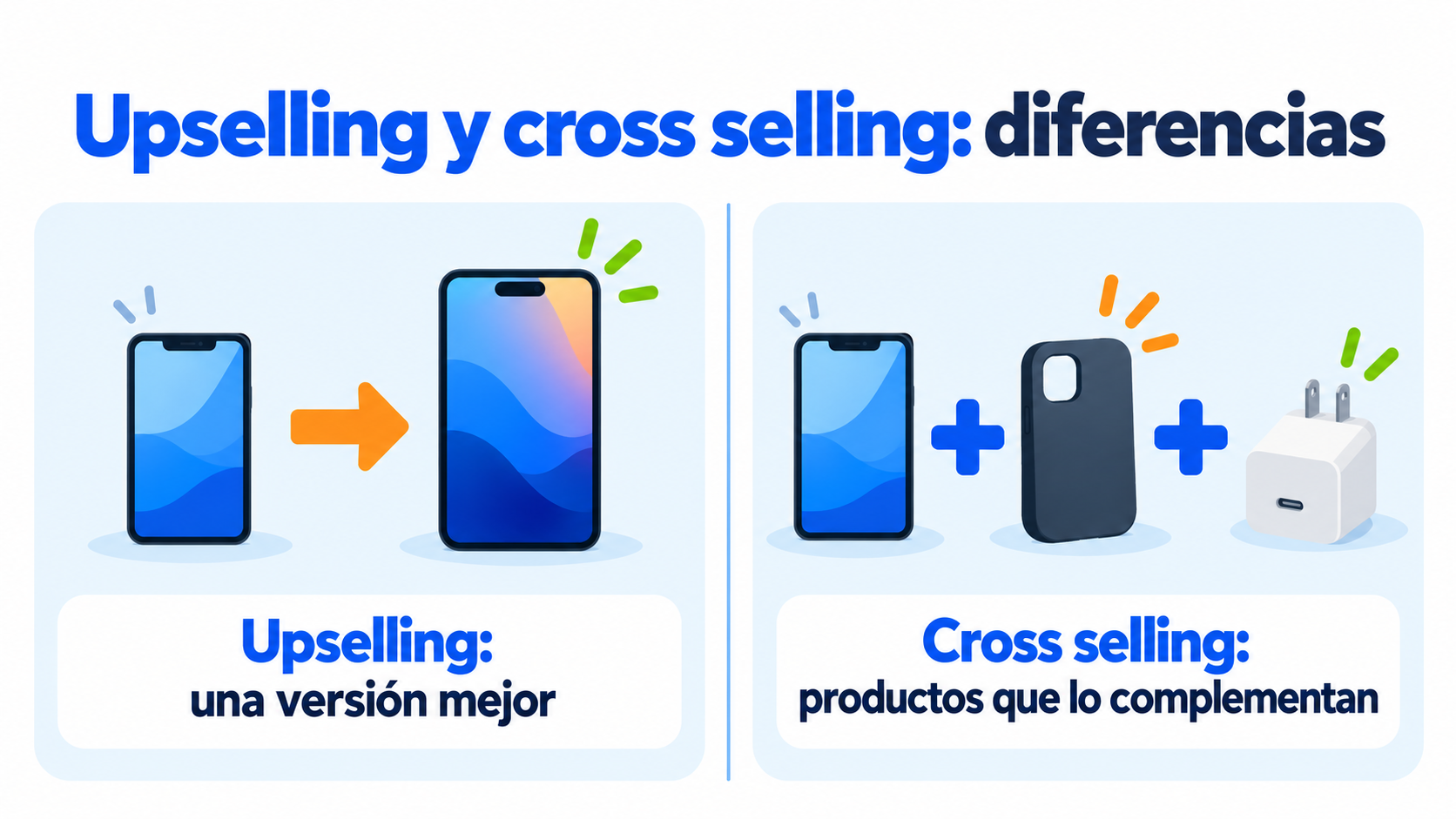
Upselling means offering the customer a higher-end version of the product they’re buying. More capacity, a plan with more features or a premium edition. You’ll find the full definition in the upselling glossary entry.
Cross-selling means offering products that complement what the customer is buying. A case for a phone, travel insurance for a trip or training for a piece of software. We explain it in depth in cross-selling.
Both aim for the same thing: that the customer leaves with what they need. And that your business increases its average order value and customer lifetime value.
They’re often used together, but each one has its moment:
| Upselling | Cross-selling | |
|---|---|---|
| What you offer | A better version of the same product | A different product that complements it |
| Example | From the basic plan to the professional plan | The plan plus a setup service |
| When it works best | Before the customer decides | During or after the purchase |
| What increases | The price of each product | The number of products per order |
| Risk | Seeming to push the customer to spend more | Recommending something that doesn’t fit |
There’s a third technique, downselling: offering a cheaper option when the customer is about to leave. For example, a monthly plan for someone who can’t decide on the annual one.
Each technique fits a different moment in your relationship with the customer. This table will help you choose:
| Customer situation | Technique | Example |
|---|---|---|
| They’re comparing models before buying | Upselling | Show them what they gain with the higher-end version |
| They’ve just added a product to the cart | Cross-selling | Suggest the accessory almost everyone buys with it |
| They’ve already received their order | Cross-selling | Recommend the add-on that improves how they use it |
| They use almost everything their plan includes | Upselling | Suggest the next plan before they outgrow theirs |
| They’re hesitating over the price or want to cancel | Downselling | Offer a simpler or cheaper option |
| They haven’t bought anything for a while | None, for now | Re-engage them first with useful content or something new |
The underlying rule is simple: offer what the customer would need anyway, right when they need it.
Here are some common examples:
| Industry | Upselling | Cross-selling |
|---|---|---|
| Online store | A phone with more storage | Case, charger and screen protector |
| Software (SaaS) | Moving to the plan with more users | Integrations, training or premium support |
| Hotels | A room with a sea view | Breakfast, spa or airport transfer |
| Airlines | A seat with more legroom or a higher class | Checked bag, hotel or car rental |
| Restaurants | The large meal | Dessert or a drink |
| Training | The course with one-to-one tutoring | A second, related course |
In online retail, the upgrade usually appears as “Compare with similar items” on the product page. The add-on, as “Frequently bought together” or “You may also like” in the cart.
Email is one of the best channels for these two techniques, for three reasons:
It reaches people who already know you. Your customers already trust you and open your messages with more interest than they give an ad.
You know what each person has bought. With their purchase history you can offer the add-on or upgrade that makes sense for each person. The more personal the offer, the better it works: that’s the idea behind hyper-personalization in marketing.
You can choose the timing. An email can arrive right after the order, when the product is running out or when the customer is using their plan to the full.
Both techniques work for almost any company, but they’re applied differently in each case.
Here, the catalog is king. Check which products appear together in orders and turn them into recommendations in the cart and in the post-purchase email. For upselling, compare models on the product page and highlight the difference that matters most to the buyer, such as capacity, lifespan or warranty.
What matters most is usage. When a customer gets close to their plan’s limit, the upsell almost sells itself, because they already see the value. Cross-selling fits with integrations, training or priority support for those who are starting to use advanced features.
Here trust matters more than the catalog. Offer the full version of a service to someone who already tried the basic one and was happy with it. A student who finishes a course is the ideal candidate for the next level or a related course.
Buying cycles are longer and the decision is usually made by more than one person. An email with a case study or a specific proposal works better than a generic offer. Coordinate sending with the sales team so the same message doesn’t arrive through two channels.
Turn every purchase into the next one
Create groups by product purchased and schedule your recommendation emails with Mailrelay, free for up to 80,000 emails a month.
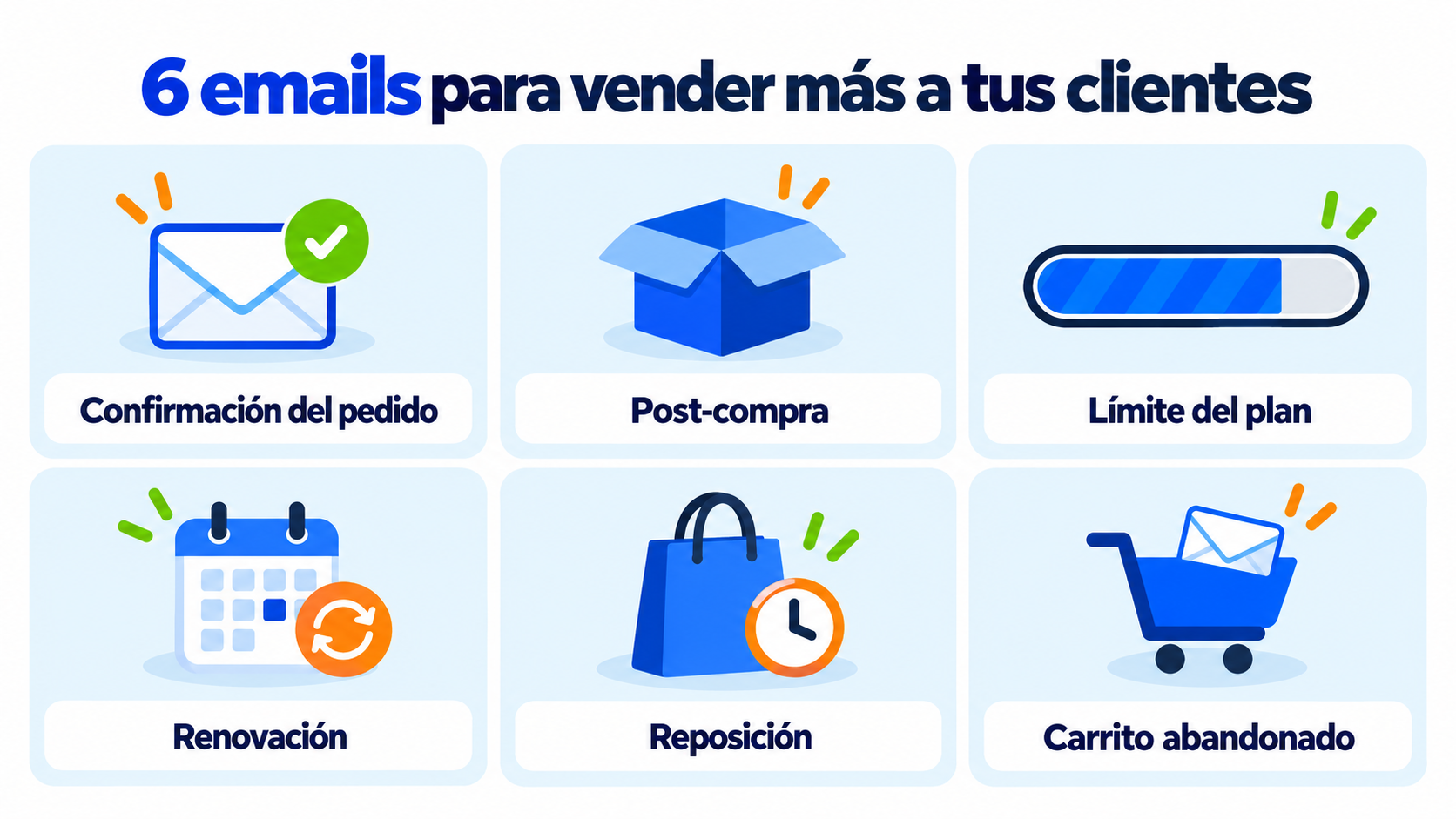
These are the most useful emails, with when to send them and a sample subject line:
| When to send it | Technique | Sample subject line | |
|---|---|---|---|
| Order confirmation | Right after the purchase | Cross-selling | “Your order is on its way (and this completes it)” |
| Post-purchase | A few days after delivery | Cross-selling | “Get more out of your new camera” |
| Plan limit | When the customer is approaching the limit | Upselling | “You have 50 contacts left: upgrade your plan” |
| Renewal | Before the subscription ends | Upselling | “Renew and switch to the annual plan with 2 months free” |
| Replenishment | When the product usually runs out | Both | “Running low on coffee? Try the special edition” |
| Abandoned cart | A few hours after the cart is abandoned | Both | “You left this behind, and it goes well with…” |
In the order confirmation, the purchase information always comes first. A transactional email packed with offers confuses the customer.
Automate your post-purchase emails
Send each customer the upgrade or add-on that suits them with Mailrelay’s segmentation and automations.
1. Analyze your sales. Look for which products are bought together and which customers end up moving to a higher-end version.
2. Segment your customers. Group them by product purchased, plan, spending or date of last purchase. Segmentation is what makes the offer fit.
3. Store the data you need. Use custom fields for each contact’s product, plan or purchase date.
4. Choose the offer and the timing. One clear recommendation per email, at the moment the customer needs it.
5. Automate the sending. With mailing automation, the email goes out on its own when the condition is met: a purchase, a date or a limit.
6. Test and measure. Run an A/B test on the subject line or the offer and keep whatever converts best.
These two texts are a starting point. Adapt them to your product and your tone.
Subject: Get more out of your new camera
Hi [Name],
We hope you’re already enjoying your camera. Many customers ask us what to add for their first outings, so here’s what we recommend most:
A fast memory card to record video without interruptions. A padded case so you can carry it without worrying about knocks.
[See the accessories]
And if you have any questions about the setup, reply to this email and we’ll help you.
Notice that the email starts with the customer, offers just two related products and ends with help, not more advertising.
Subject: You have 50 contacts left on your plan
Hi [Name],
Your list keeps growing: you already have 950 of the 1,000 contacts your plan includes. Congratulations!
So you don’t have to slow down your campaigns, you can move up to the next plan. It includes up to 5,000 contacts and the automated emails you already use.
[See the next plan]
If you’d rather carry on as you are, you don’t need to do anything. We’ll let you know again if you reach the limit.
This email works because it starts from real customer data, explains what they gain and lets them decide without pressure.
The hard part isn’t sending the email, but getting the recommendation right. These are the most useful data sources:
Purchase history. What they bought, when and how much they spent. It’s the basis of almost every recommendation.
What similar customers buy. If most people who buy a camera add a memory card, that’s your first recommendation.
Behavior in your emails. Clicks on a product or a category say a lot about what interests each person.
Their stage in the customer lifecycle. A new customer isn’t the same as one who has been with you for years. Offer new customers add-ons; offer long-standing ones upgrades or new products.
Start with simple rules, such as “whoever buys A gets a recommendation for B”, and fine-tune them based on the results.
| Do this | Avoid this |
|---|---|
| Offering something useful for what they already bought | Recommending unrelated products |
| One or two recommendations per email | Entire catalogs in every email |
| Upgrades at a reasonable price | Price jumps that scare customers off |
| Explaining what the customer gains | Talking only about the offer |
| Excluding those who already have the product | Offering what the customer has just bought |
| Respecting your sending frequency | Sending offers every day after a purchase |
To find out whether these emails work, track these indicators:
| Metric | What it tells you |
|---|---|
| Average order value | Whether each order is bigger than before |
| Email conversion rate | How many recipients buy after clicking |
| Revenue per email sent | How much each email generates |
| Customers who upgrade their plan | Whether the upgrade offer is convincing |
| Unsubscribe rate | Whether customers feel too much pressure |
Always compare with a group that doesn’t receive the offer. That way you know which sales are really due to the email.
With Mailrelay you can segment your customers by what they bought, store their data in custom fields and automate post-purchase, renewal or replenishment emails.
You can also run A/B tests on the subject line and sender, and see in the statistics who opens and clicks on each product. If you have an online store, you’ll find more ideas in email marketing for ecommerce and in these email marketing examples.
The free account includes up to 80,000 emails a month and 20,000 contacts, with human support by chat, ticket and phone.
Send your newsletters with Mailrelay
Up to 80,000 emails a month and 20,000 contacts for free, with human support on every plan.
One technique offers a better version and the other, an add-on. Both work when they help the customer, not when they only aim to sell them more.
Start with a single email, such as the post-purchase email or the plan limit alert. Segment well, offer one useful thing and measure the result before adding the next one.
These are the most common questions about these two techniques.
Upselling is offering a better version of the product the customer is buying. Cross-selling is offering them products that complement it.
Upselling swaps the product for a higher-end one. Cross-selling adds other products to the purchase.
It’s offering a cheaper option when the customer hesitates or is about to leave, so you don’t lose the sale.
When you buy a laptop, being offered the model with more memory is upselling. Being offered a mouse and a case is cross-selling.
Right after the purchase or a few days after delivery, when the customer is already using the product and knows what’s missing.

Jose Argudo
CMO at Mailrelay. Writes about email marketing, copywriting and conversion for small businesses and entrepreneurs.