
You’ve probably heard of Domain Authority, or DA for short: it’s one of the metrics most often taken into account for SEO rankings.
But do you know exactly what Domain Authority is? If the answer is no, you’ve come to the right place, because in this article I’ll explain everything you need to know about DA, from what it is to how you can increase it on your website for better rankings.
What is Domain Authority or DA?
Domain Authority is a special metric that emerged as an alternative to Google’s well-known PageRank (PR), which has not been visible to webmasters for a long time.
DA doesn’t come from Google; it was created by one of the biggest companies in SEO, SEM and digital marketing in general: Moz, so it isn’t 100% accurate.
Even so, it’s still an excellent indicator of a website’s overall quality. In fact, the vast majority consider Domain Authority a relevant and important metric when buying or selling websites, or when working on SEO.

What is Domain Authority used for?
As I mentioned, DA is an alternative to Google’s classic PageRank metric, so the way it works, and its purpose in general, are quite similar, which is why many webmasters use it as a benchmark metric.
In itself, DA measures how much quality and relevance a website has for search engines, based on factors such as a domain’s outbound and inbound links or the quality of the linked content.
Keep in mind that this “ranking” Moz gives you varies a lot and is also influenced by the rest of the websites on the internet.
For example, assuming there’s a “general average”, if one of the big websites such as Twitter or Facebook suddenly decided to acquire a large number of links, your DA would most likely be affected too.
In general, if a website has a high Domain Authority, it will most likely have a better chance of ranking high in the SERPs.
Domain Authority: key factors
And here it’s important to highlight the word “likely”, because as I said, DA isn’t a Google metric that directly affects the SERPs, and we could see it more as a benchmark value.
➤ Don’t trust DA blindly
Yes, Moz has managed to create a metric that gives us a relatively reliable benchmark, but that doesn’t mean that just having a high Domain Authority will make you rank high on search engine results pages.
It’s not a question of blindly focusing on raising your DA. Although it doesn’t hurt, and it’s actually recommended to improve this metric, you also need to take care of the other aspects of your website, such as content and SEO; only then can your DA be taken as a real benchmark.
Now, as a tip, I recommend that when you analyze your Domain Authority, you use it as a benchmark and for comparison: comparing this metric with your competitors’ can give you an idea of how likely Google is to rank you above them, and it’s also a point of comparison for your link strategy.
➤ Don’t confuse Domain Authority with Page Authority
Moz didn’t just create DA, or Domain Authority; it also created another equally important metric for measuring a website’s relevance and rankings: Page Authority, or PA.
However, although they’re related, DA and PA are not the same at all, and you shouldn’t confuse them.
The main difference is that while DA focuses exclusively on a website’s domain, PA focuses on each of the pages that make up the website and are linked to the domain in question.
What’s more, additional factors are taken into account when measuring this metric.

Since it’s Moz’s own metric, the best way to measure it is clearly through the company’s different services.
And no, don’t worry, you don’t need to sign up for any of its paid services, because Moz lets you check your website’s Domain Authority with a free tool you can install in your browser: the Moz bar.
It’s a tool I recommend everyone have, and it can help you enormously in your mission to improve your website’s rankings.
Best of all, it’s extremely easy to use, and in a few seconds you’ll be able to see the DA not only of your website but also of your competitors and of potential partner sites or pages you want to include in your link strategy.
How do I use the Moz bar to measure my Domain Authority?
The first thing you need to do to measure your website’s Domain Authority with the Moz bar is install it in your browser. To do this, go to this link, which will take you straight to the tool’s website, and once there click “Download MozBar Free”.
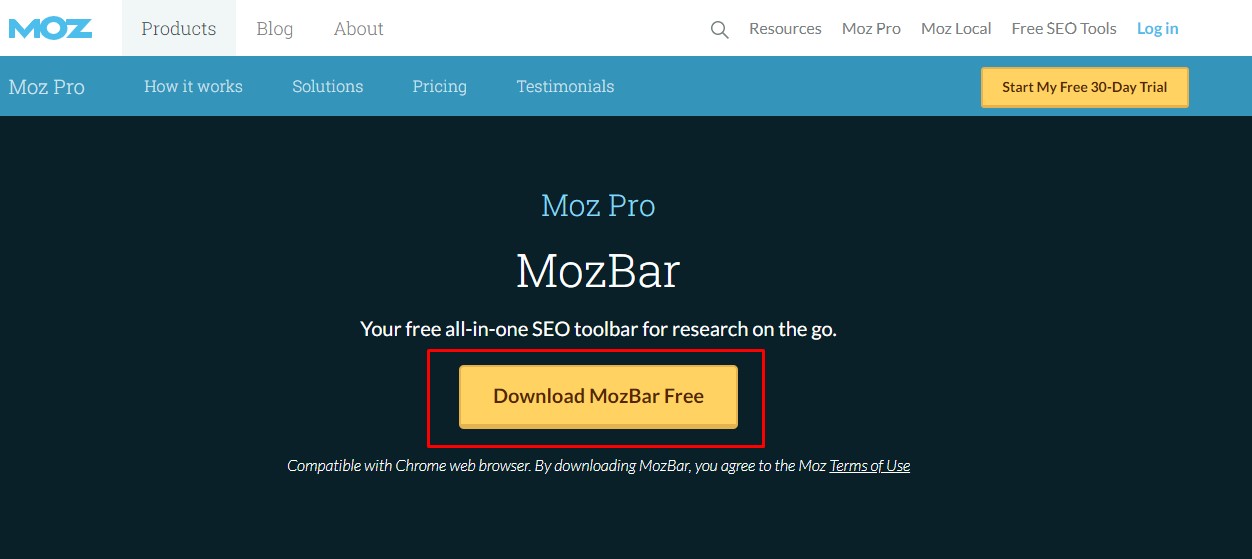
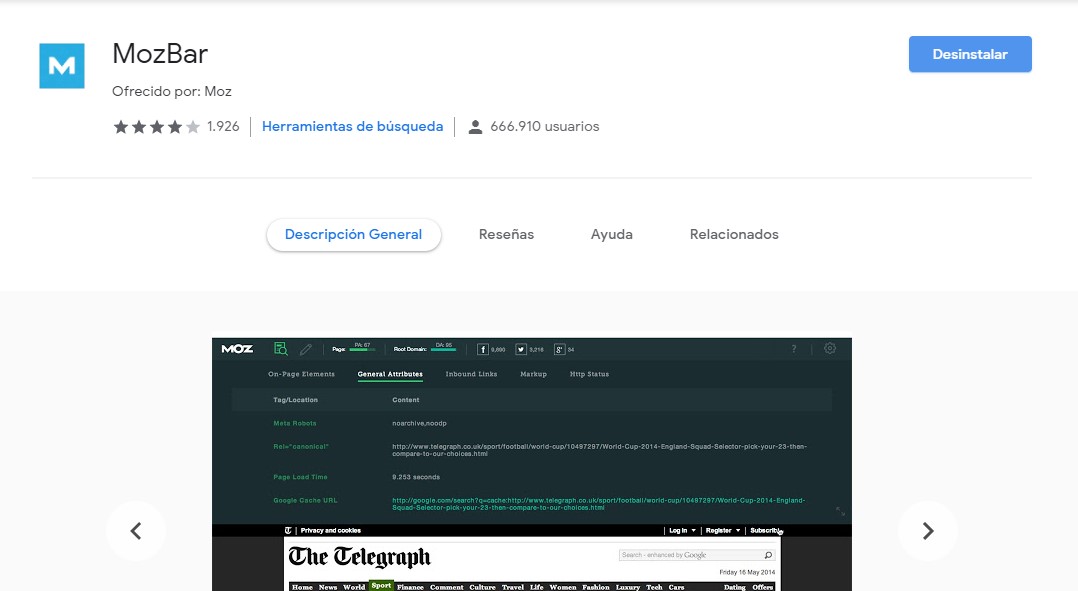
Your browser will ask whether you want to install the extension or not, or it will take you to its extension store, as with Google Chrome.
Once there, all you need to do is install the extension. In my case, the extension is already installed, so only the option to uninstall it appears.
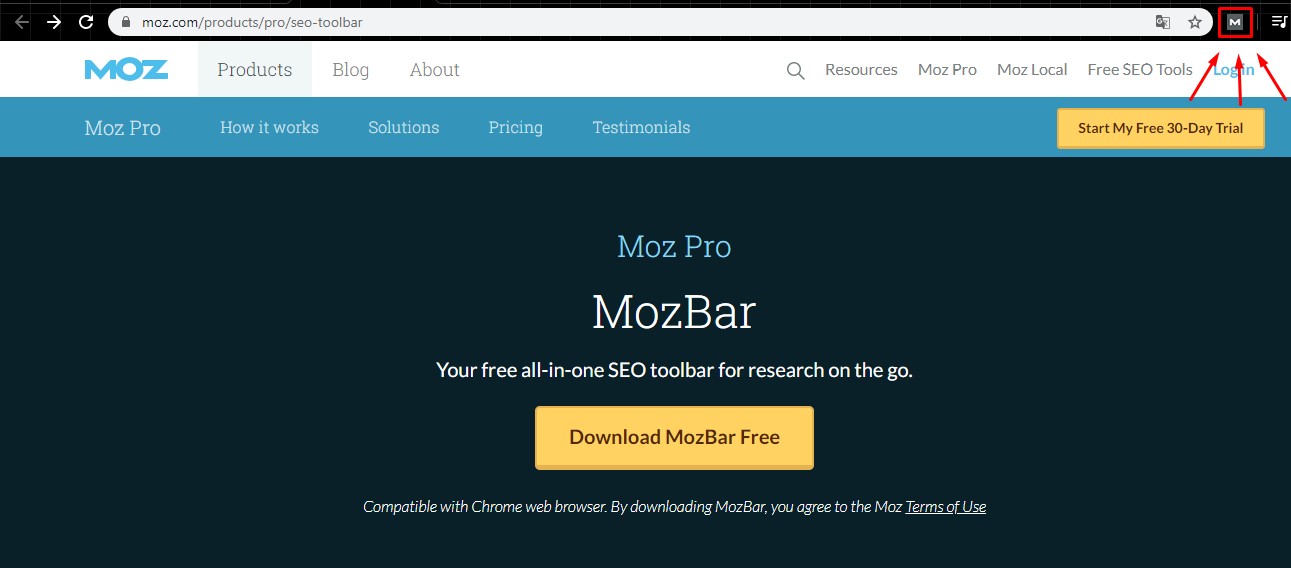
Once you install it, a small icon with the letter M will appear to the right of your navigation bar; this icon is the button to turn the MozBar on or off.
Now that you have your MozBar installed, it’s time to find out your website’s DA.
To do this, just go to your page in your browser and, once there, turn on the Moz bar; a new bar will then appear just below the navigation bar.
Go to the top left, right next to the Moz logo, where there’s an icon of a page with a magnifying glass, and click on it.
This will run a quick analysis of the website, showing you information about the site you’re on. Go to the “Link Metrics” tab and you’ll find your website’s Domain Authority there, as well as its Page Authority.
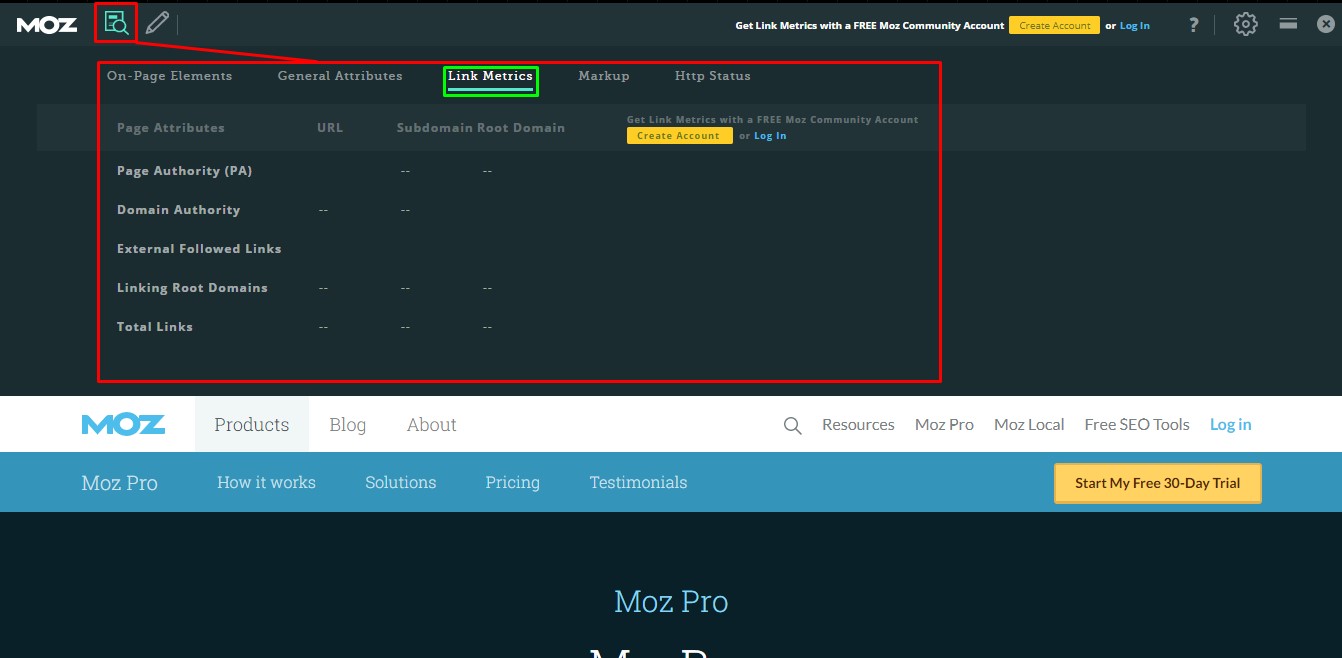
To see this information, you need a free Moz account and to be logged in to the MozBar extension, which is why this data doesn’t appear in the screenshot: I’m not logged in to the MozBar.
Other ways to find out your Domain Authority
In general, any Moz product or service lets you see the DA of your website or your competitors’.
Another free tool that lets you do this, besides the MozBar, is Free Domain SEO Metrics, where you can enter your website’s URL to get this and other metrics.
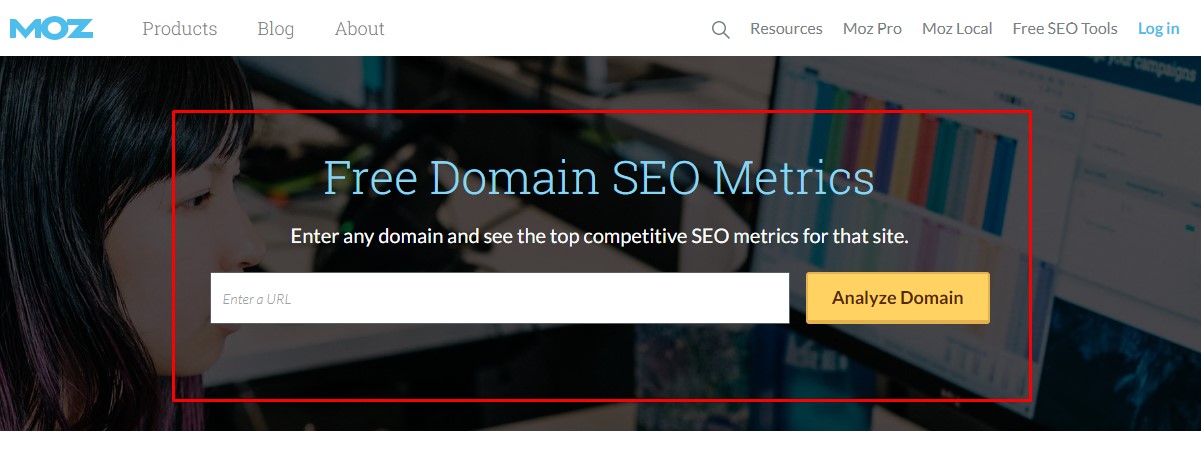
Just enter your domain and click “Analyze Domain”, and Moz will give you a report with your Domain Authority, your Page Authority and other metrics related to your website’s SEO, as well as information about your domain that can be very useful.
How do I increase my Domain Authority?
As you can see, finding out your website’s Domain Authority is quick and easy, but:
What happens when it comes to increasing your Domain Authority?
In that case, the situation takes a 180° turn, because it isn’t that easy to increase a website’s DA. But don’t worry: it’s not impossible, and there are ways to do it
Below, I give you some tips to increase your website’s Domain Authority. But be patient, because it’s a process that takes time before you start seeing results.
1. Work on a good link strategy
The main step to increase your DA is to work on a good link building strategy. Keep in mind that both inbound and outbound links affect your domain’s authority; they’re not the only thing, but they can help.
Now, a good link strategy has to be careful about the sites you get links from, and forget about link farms: they won’t do you any good. In fact, the more “organic” your links are, the better, and if they’re closely related to your topic and to good content, even better.
Another important point is that you need to get links from as many different websites as possible for your link strategy; although it’s good to have several inbound links from the same site, it’s much better to have inbound links from many sites.
I know that, seen like this, it can be overwhelming, since it would mean spending many hours a day looking for ways to get quality links.
But my advice is to take it step by step and include this technique in your editorial calendar, setting yourself a monthly number of links and, if you like, alternating it with publishing content on your blog and sending newsletters to your community.
Another tip related to your link strategy is to look for websites with higher Domain Authority.
Look at it this way: if a site with more DA than yours links to your website, your Domain Authority will increase as a result, since if a big site links to you, there’s a reason, and so your domain must have some relevance on the internet.
3. Clean up your links regularly
It’s always important to know who links to us. Some inbound links not only bring us no benefit but can actually harm us, especially those coming from link farms or created with bad intentions.
That’s why I recommend regularly cleaning up your inbound links: discard the ones that are hurting you and keep only the ones that benefit you.
Also be sure to check that you don’t have any broken links on your website and that your redirects work properly, because if they fail or you have lots of expired or broken links, your DA will be negatively affected.
4. Create quality content and have a good content marketing strategy
Believe it or not, investing time and effort in creating quality content based on a professional inbound marketing strategy is the best thing you can do to organically improve all your website’s metrics, including DA.
As examples of inbound techniques, you could consider:
- Doing effective email marketing by sending valuable tips and information in the newsletters you send your community.
- Creating infoproducts that add more value for your users, such as downloadable ebooks they can take anywhere.
- Writing on your blog regularly.
- Recording a podcast on your topic that they can listen to while doing other daily tasks.
- Making YouTube videos with practical tips where you’re seen putting into practice the strategies you preach.
Content has a direct and indirect impact on every aspect of our website, including our SEO.
Having good content, together with a quality content marketing strategy, can help you achieve many things, including getting organic links from people who find your content interesting and share it on social media or their blogs.
It’s a way to get quality links without even asking for them.
In addition, content is also a factor that determines your domain’s relevance, so the higher its quality, the better your chances of increasing your Domain Authority and climbing the SERPs.
5. Internal linking matters too, so work on it
Good internal linking is essential for SEO and for improving your website’s Domain Authority.
You need to create an optimal structure that makes navigation easy and connects the different pages of your website.
This will also help you increase your website’s PA at the same time, which in turn will influence your DA even more, since the two are directly related. I also recommend creating anchor text with keywords directly related to your domain that add real value, that is, that fit the context where you’re adding them.
What about you? Do you know any other tips for increasing a website’s Domain Authority?
If so, leave it in the comments.

Working on domain authority also means taking care of other technical aspects of SEO, such as avoiding SEO cannibalization between your content or taking advantage of less competitive long-tail keywords to gain visibility faster.
This metric is usually analyzed together with the domain’s Trust Flow, for a more complete view of its real authority.