ChatGPT: what it is, how it works and how to use it in your business
What it can do, which plan suits you and how to connect it to your email marketing
ChatGPT is OpenAI’s artificial intelligence assistant: a chat where you ask for what you need in your own words, and it answers, writes, summarizes or analyzes in seconds.
Here’s how it works, what each plan includes, how it differs from other assistants and how to get the most out of it in your business.
What is ChatGPT?
It’s a program you talk to in writing or by voice. You ask it a question or give it a task, and it replies the way a person would.
OpenAI launched it on November 30, 2022. It reached 100 million users in two months, and in February 2026 the company announced more than 900 million weekly users.
You can use it on the web, in the Android and iPhone app or in the desktop app for Windows and Mac. There’s a free version and several paid plans.
How does ChatGPT work?
Under the hood is a language model, OpenAI’s GPT family. It’s a machine learning system trained on huge amounts of text, which learns to predict which words best fit as an answer.
That’s why it writes fluently, but it doesn’t “know” things the way a database does. Sometimes it makes up facts with complete confidence. Always check figures, dates and quotes before using them.
OpenAI updates its models every few months. Since October 2026, the default model is GPT-6.
What can ChatGPT do?
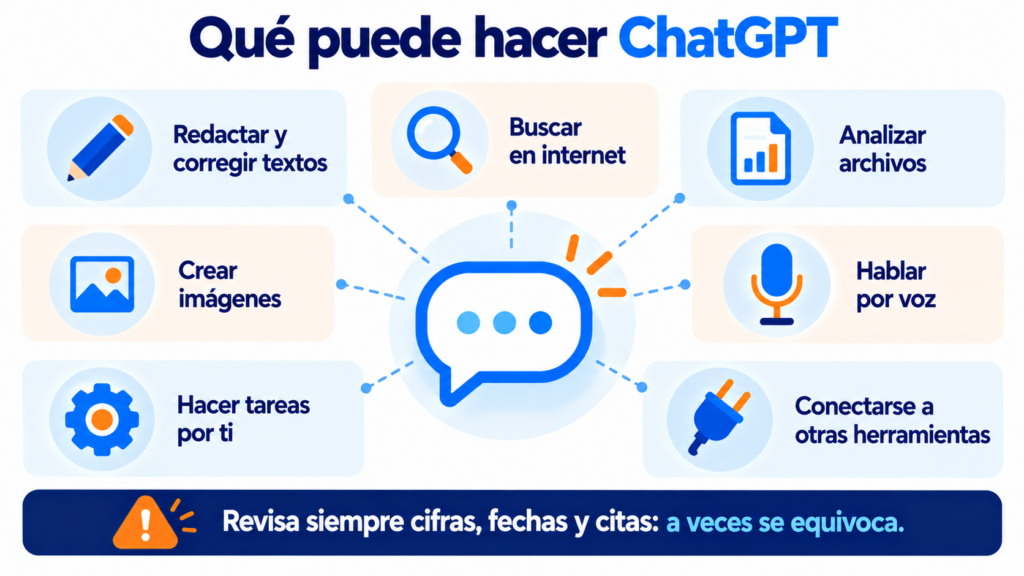
Much more than answer questions:
- Write and edit emails, articles, product descriptions or posts.
- Search the internet and give you the answer with its sources.
- Analyze files: spreadsheets, PDFs or images you upload.
- Create images from a description.
- Talk by voice, like on a phone call.
- Do tasks for you with its agent mode, like an AI agent that browses the web and fills in forms.
- Connect to other tools through plugins, many of them based on MCP.
What if ChatGPT could see your campaigns?
Connect your Mailrelay account to ChatGPT and ask it in the chat for your statistics, your contacts or a campaign draft. Free, on every account.
ChatGPT plans
OpenAI has plans for personal use and for businesses. What changes is the model you get access to, the usage limits and the advanced features.
| Plan | Who it’s for | Highlights |
|---|---|---|
| Free | Trying it out | Chat, search and images with limits |
| Go | Frequent use on a small budget | More messages, files and memory |
| Plus | Professionals | Reasoning models, projects and deep research |
| Pro | Heavy use | The most powerful models and the highest limits |
| Business | Teams | Shared workspace, admin controls and data kept out of training |
| Enterprise and Edu | Large companies and universities | Security, compliance and custom management |
Prices change often and depend on the country: check them on OpenAI’s website. In the United States, the free version has shown ads since 2026.
ChatGPT, Claude, Gemini or Copilot?
They’re all generative AI assistants and do similar tasks. Choose based on the tools you already use.
| If… | You should try |
|---|---|
| You want the most widely used assistant, with lots of plugins | ChatGPT |
| You mostly work with long texts and documents | Claude (by Anthropic) |
| Your team uses Gmail and Drive in Google Workspace | Gemini |
| Your team uses Word, Excel and Outlook in Microsoft 365 | Copilot |
You don’t have to stick to just one. Many companies use two, depending on the task.
How to use ChatGPT in your email marketing
It’s a good helper for email marketing, as long as you review what it gives you. For example, to:
- Suggest several versions of the email subject line for an A/B test.
- Write a first draft of your newsletter using copywriting techniques.
- Adapt the same message to several segments, to improve personalization.
- Summarize your customers’ replies or the results of a survey.
You’ll find more ideas and sample prompts in our guide on how to use ChatGPT in your email marketing strategy.
Two precautions. Don’t paste your subscribers’ personal data into the chat, because of the GDPR. And don’t let the AI send anything for you without reviewing it first.
AI assistants and search: what changes for your website
More and more people ask an AI assistant instead of searching on Google. If you want it to mention you, your website has to give clear, reliable answers.
This is known as AEO, answer engine optimization. It also matters for getting your brand mentioned when someone asks for recommendations. A page with clear definitions, verifiable data and FAQs is more likely to be cited.
How Mailrelay helps you
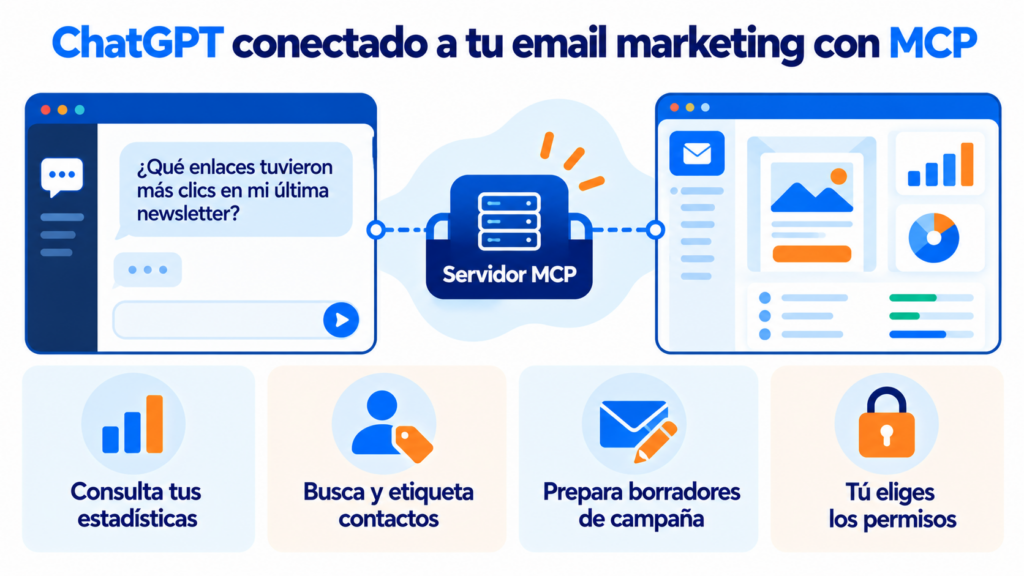
With the Mailrelay MCP server you connect ChatGPT to your account.
You ask it in the chat which links got the most clicks, to find a subscriber or to prepare a campaign draft, and it does it with your real data.
You choose the permissions: read-only, read and write, or full access. We walk you through it step by step in how to connect Mailrelay to ChatGPT and Claude.
The MCP server works on every account, including the free account, which includes up to 80,000 emails a month and 20,000 contacts, with human support on every plan.
And if you’d rather connect your own systems without going through the chat, you have the Mailrelay API and no-code automations.
Start with your first request
Create your free account, with up to 80,000 emails a month, and connect your AI assistant in a few minutes.
ChatGPT FAQs
These are the most common questions.
Is ChatGPT free?
Yes, it has a free version with usage limits. To use it more or access the most powerful models, there are paid plans.
Who created ChatGPT?
OpenAI, an American artificial intelligence company, launched it in November 2022.
Is ChatGPT a chatbot?
Yes, but much more capable than a chatbot with fixed answers. It understands open-ended questions and generates new answers each time. That’s why many brands use this technology in their conversational marketing.
Avoid sharing personal or confidential data. On personal plans, you can turn off the use of your conversations to train the models in the data controls settings.
Can I connect ChatGPT to Mailrelay?
Yes, with the Mailrelay MCP server. You sign in with your username, choose the permissions and the assistant can check and manage your account.