White paper: what it is, what it's for and how to write one that brings you customers
The document that proves you know what you're talking about and, along the way, fills your list with interested contacts
A white paper is a document that analyzes a specific problem in an industry and proposes a solution backed by data, examples and sources.
In marketing, companies publish them to show they know what they’re talking about. It doesn’t sell a product directly: it explains a problem better than anyone else, and that’s how the company earns the reader’s trust.
It’s one of the classic formats of B2B marketing, where purchases are carefully considered and go through several people.
It often works as a lead magnet: readers leave their email to download it. If you’re looking for other formats, here are more lead magnet ideas.
What is a white paper and why is it called that?
The name comes from British politics. Governments used the term white papers for the official documents in which they set out a policy or a proposal before turning it into law.
In Spain, public administrations also publish “libros blancos” (white papers) in the same sense: an in-depth analysis before making a decision.
The business world adopted the term in the nineties, first in technology. Today a marketing white paper keeps that idea of a serious document, with data and no advertising tone.
You’ll see it written two ways: white paper and, at some companies, as a single word, whitepaper. Both mean the same thing.
What is a white paper for in marketing?
A good white paper works on several fronts at once:
- It generates qualified leads. It’s one of the classic pieces of lead generation. Someone who downloads a ten-page document about a specific problem has that problem. They’re a far more interested contact than someone who has only read a blog post.
- It builds authority. It shows knowledge through data and arguments, something an ad can’t do.
- It helps with long sales cycles. In a B2B company’s sales pipeline, the salesperson can send it to answer questions or to help their contact convince their boss.
- It feeds other content. A white paper can be turned into articles, a newsletter, a webinar or LinkedIn posts.
That’s why it fits into a content marketing and inbound marketing strategy: you attract people with something useful instead of interrupting them.
Types of white paper
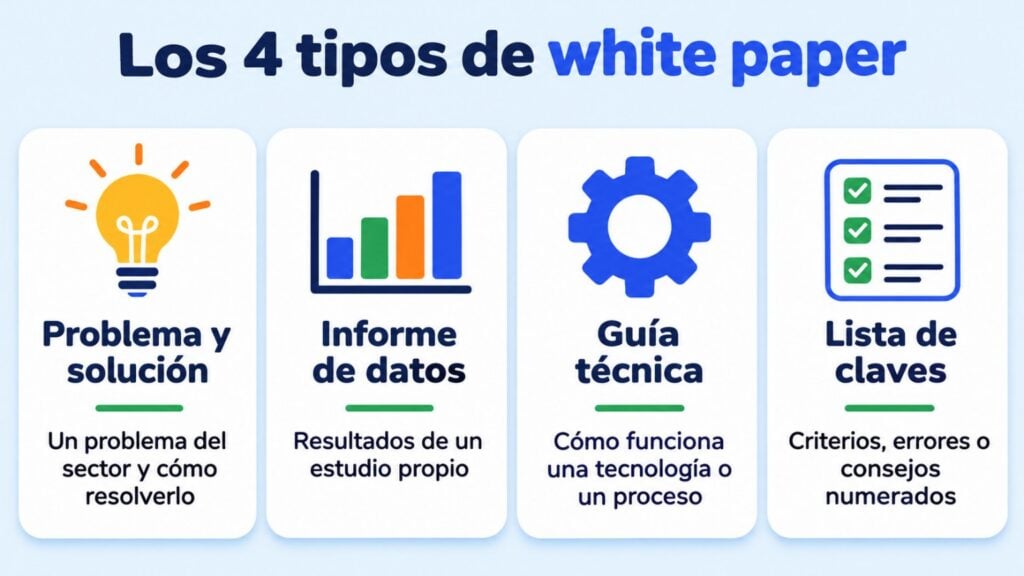
Almost every white paper fits into one of these four types:
| Type | What it contains | When it fits |
|---|---|---|
| Problem and solution | Describes an industry problem, its causes and an approach to solving it | Attracting people who are still looking for a way to solve it |
| Data report | The results of your own survey or study, with conclusions | Earning links, mentions and authority |
| Technical guide | Explains in depth how a technology or a process works | Convincing technical profiles who influence the purchase |
| Key points list | “7 criteria for choosing…”, “10 mistakes in…” | Readers short on time; it’s the easiest to write |
The problem-and-solution type usually brings in the most leads, because it connects with what’s on the reader’s mind at that moment.
A report with your own data is the most expensive to produce, but also the most cited.
Turn every download into a subscriber
Create your white paper’s landing page and form with Mailrelay. Included in the free account.
White paper, ebook and case study: how they differ
All three are downloadable, often as a PDF, but they don’t serve the same purpose:
| White paper | Ebook | Case study | |
|---|---|---|---|
| Tone | Formal, analytical | Informative, more visual | Narrative |
| Content | A problem, data and a well-argued solution | A broad guide on a topic | How a customer solved a problem |
| Reader | Someone evaluating options | Someone starting to take an interest | Someone about to decide |
| Typical length | Medium (roughly 6 to 15 pages) | Variable, often longer | Short |
An ebook teaches; a white paper argues. If your document has lots of images, a friendly tone and general tips, it’s probably an ebook, even if you call it a white paper.
Structure of a white paper
This outline works for almost any topic:
- Cover. A clear title, a subtitle with the benefit, and the brand.
- Executive summary. The problem and the conclusion in one paragraph. Many readers will only read this.
- The problem. What’s happening, who it affects and what it costs not to solve it.
- Analysis. Data, causes and possible approaches, with their sources.
- The solution. Your proposal, explained as a method, not as an ad.
- An example. A real case or a practical scenario that makes it tangible.
- Conclusions and next step. What the reader should do now, with a discreet call to action.
- Sources. The list of studies and data cited.
Notice that the product appears late, and sparingly. If the first pages look like a brochure, the reader stops trusting it.
How to write a white paper step by step
- Choose a problem you know well. Go over the questions your customers or your sales team ask you. That’s where the best topics are.
- Define who it’s for. Your buyer persona determines the tone, the depth and the examples.
- Gather reliable data. Public statistics, a survey of your customers or aggregated data from your own business. Always cite the source.
- Write the executive summary first. If it doesn’t fit in one paragraph, the idea isn’t clear yet.
- Write and design it. Clear sentences, simple charts and a clean layout. A Canva or Google Docs template is enough.
- Prepare distribution before you publish. The download page, the form and the follow-up emails should be ready on day one.
White papers and email marketing
A white paper without email is just a PDF. With email, it becomes the start of a relationship with a potential customer.
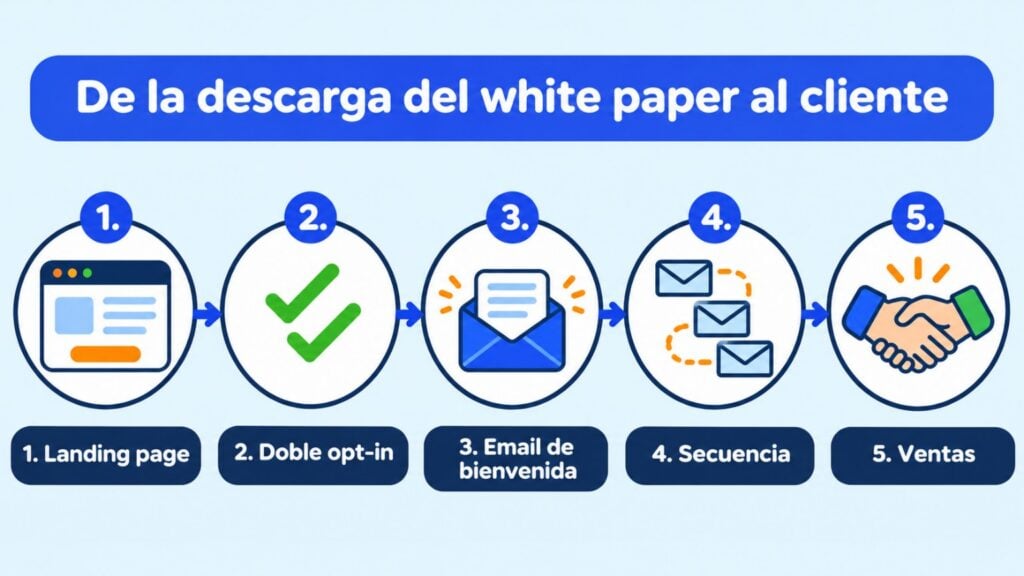
The usual flow looks like this:
- A landing page with a form. Explain what readers will find and ask only for the data you need.
- Double opt-in. Double opt-in confirms the email address is real before the document is delivered.
- Automatic delivery. The welcome email includes the download link.
- Follow-up sequence. A few days later, send a summary of the key ideas, a case study or an invitation to talk. It’s lead nurturing at its purest.
- Scoring. Lead scoring helps you see who opens and clicks, and hand them over to sales at the right moment.
Common mistakes when writing a white paper
- Turning it into a catalog. If it talks about your product from the first page, it’s a brochure.
- Data without sources. A figure with no source undermines the credibility of the whole document.
- Asking for too much information to download it. Every extra field reduces downloads; email and name are usually enough.
- Doing nothing after the download. Many contacts go cold because nobody writes to them again.
- Not updating it. A white paper with five-year-old data conveys the opposite of what you’re after.
How Mailrelay helps
Mailrelay doesn’t design the document, but it does cover everything around it so your white paper turns into leads:
- Landing pages and subscription forms, with bot protection and double opt-in always on.
- Automations to deliver the download link instantly and then send the follow-up sequence.
- Segmentation to separate the people who downloaded each document and talk to them about what interests them.
And you can start with the free account, with up to 80,000 emails per month and 20,000 contacts.
Don’t let your white paper end up as just a PDF
Deliver the document instantly and keep the conversation going with an automated sequence. Up to 80,000 emails a month for free.
Frequently asked questions
Two questions that often come up before writing your first one.
How many pages should a white paper have?
There’s no fixed rule. Most are between 6 and 15 pages: just enough to analyze the problem with data without tiring the reader.
More than length, what matters is that every page adds something.
Should you ask for an email address to download a white paper?
It’s the usual approach, because that’s how the document generates leads. The trade-off is that fewer people read it.
If your goal is to promote a study and earn mentions, you can leave it open. In that case, offer a subscription to your newsletter at the end.