Subscriber groups
How to organize your list so each contact only gets what they care about
You have customers, newsletter subscribers, webinar attendees and contacts from a trade show. If you keep them all in one bucket, every send ends up as a compromise. It’s too general for some and not useful enough for others. Subscriber groups help you bring order to that list and decide who gets each campaign.
What are subscriber groups?
Subscriber groups are sets of contacts you bring together under one name in your email marketing tool. They work like folders in your email database: “Customers”, “Weekly newsletter”, “October webinar” or “Manchester store”, for example.
The same subscriber can be in several groups at once. And that doesn’t mean they count twice: they’re still a single contact with one record.
Other tools call them lists or audiences. The idea is the same. To see how subscriber groups fit into your database, read our entry on email lists.
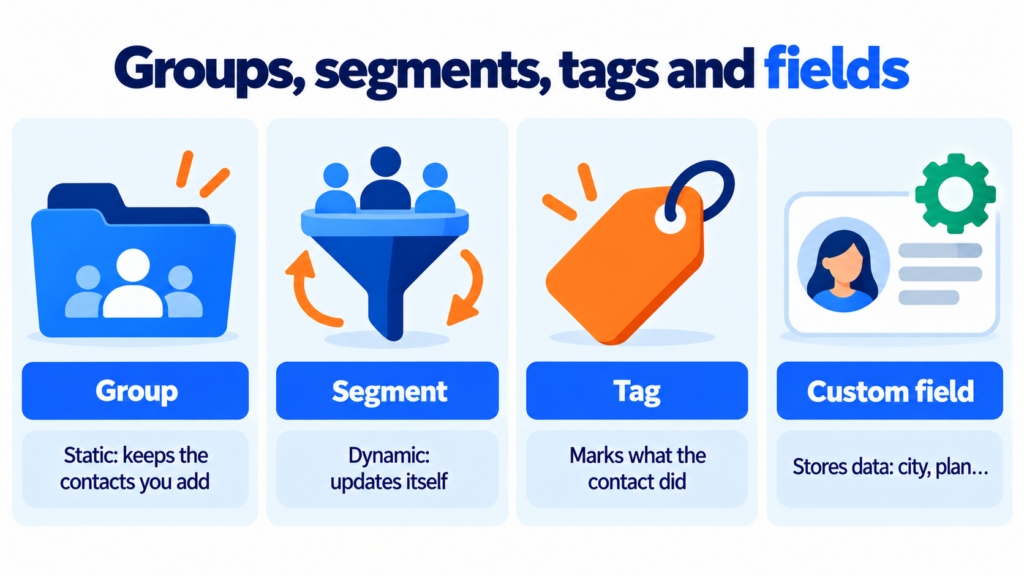
These are four ways to organize contacts, and people often mix them up. The difference lies in how each person gets in and out:
| Tool | How it works | How a contact gets in | Use it for |
|---|---|---|---|
| Group | Static set | On import, from a form, manually or through an automation | Stable audiences: customers, newsletter, events |
| Segment | Dynamic filter | Automatically, when they meet the conditions | Audiences that change: people who opened the last campaign |
| Tag | Label on the contact | After a form, a click or a workflow | Recording what they did: “downloaded the guide” |
| Custom field | Data in the record | When the value is filled in | Storing information: city, plan, sign-up date |
Here’s the key point: a group keeps the contacts you put in it, even if their data changes later. A segment, on the other hand, updates itself. Imagine a contact in Manchester moves to Leeds. They’ll stay in the “Manchester” group, but they’ll leave the “city = Manchester” segment.
Tags are better for noting behaviour. And custom fields store data you’ll later use for segmentation in email marketing.
What subscriber groups are used for
The most obvious use is sending each audience only what interests them. But there’s more:
- Separating types of email: one group for the newsletter, another for offers and another for product updates. That way everyone gets what they signed up for.
- Respecting where consent came from: someone who entered a giveaway didn’t agree to the same things as someone who subscribed to your newsletter.
- Running events and launches: webinar registrants or pre-sale sign-ups go into their own group for the duration of the campaign.
- Triggering automations: joining a group can start a welcome email or a follow-up sequence.
- Measuring better: if you compare the open rate by group, you’ll see which audiences respond and which are cooling off.
Is it worth the effort? Mailchimp analysed around 11,000 segmented campaigns sent to almost 9 million recipients. They got 14.31% more opens and 100.95% more clicks than non-segmented sends. Unsubscribes were 9.37% lower. The data is old (2017), but most studies since then show the same trend.
Organize your list into groups today
With Mailrelay you can create subscriber groups on every plan, including the free one, and send each group the campaign it needs.
Create a free accountSubscriber group examples
An online shop can start with three subscriber groups: “Customers”, “Subscribers with no purchase” and “Wholesalers”. Wholesalers get price lists and catalogue news. Customers get recommendations and loyalty programmes. Everyone else gets content that encourages a first purchase.
A training centre usually organizes its groups by course or intake: “English B2 – October”, “Exam prep 2027” or “Alumni”. When one edition ends, the group is still there to offer the next level.
In B2B, it works well to separate contacts by business relationship: prospects, active customers and partners. Because someone who’s still evaluating you doesn’t need the same message as someone who has already signed.
And a charity can have three subscriber groups: members, one-off donors and volunteers.

How to create and fill a subscriber group
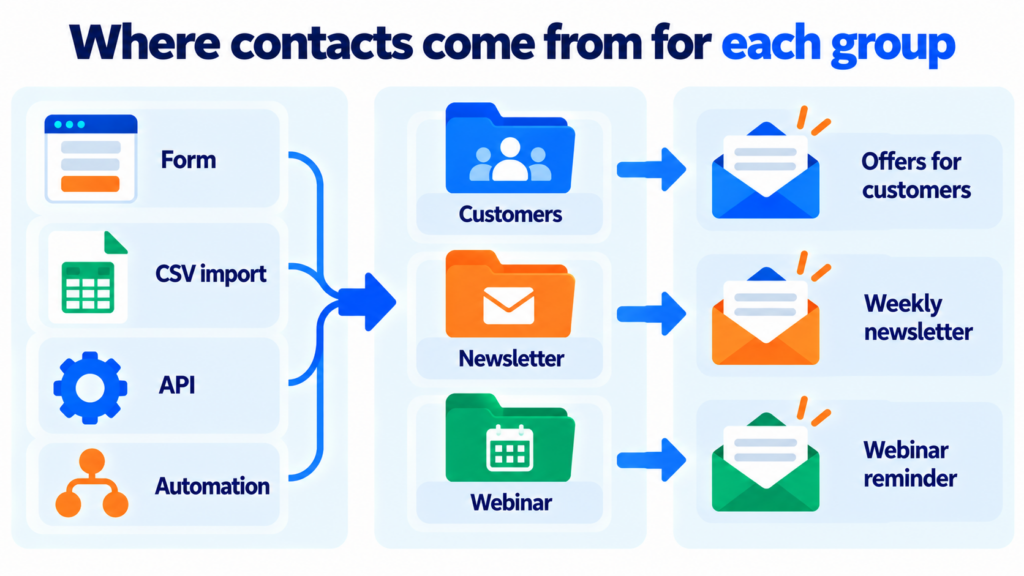
The first step is to create the subscriber group with a clear name. Then there are several ways to add contacts to it.
The most common is the subscription form. Each form, or each landing page, saves new sign-ups to the group you choose. You can also let subscribers tick the groups they’re interested in, such as “News” or “Offers”. If you turn on double opt-in, only people who confirm their address get in.
The second route is importing a CSV file exported from your CRM or a spreadsheet. When you import, you choose the destination group and decide what to do with contacts that already exist.
Finally, you can move contacts between groups manually, in bulk or with an API that syncs your systems.
What about email groups in Gmail?
Lots of people search for how to create an email group in Gmail. You do it from Google Contacts: create a label and add the contacts. When you compose, type the label name in the “To” field.
It works for writing to a team or a handful of clients. But it isn’t built for campaigns. A personal Gmail account allows around 500 recipients a day. On top of that, you get no statistics, no unsubscribe link and no bounce handling. We explain this in our entry on sending limits.
Best practices for subscriber groups
Create just a few subscriber groups, each with a clear purpose. If you have forty groups with names like “New list 2” or “March import”, nobody will know who they’re sending to.
Use groups for what’s stable and segments for what changes. Want to email people who haven’t opened in 90 days? Don’t copy those contacts into a group. Create a segment that updates itself and use it in a winback campaign.
Avoid sending the same campaign to several overlapping groups without checking. Good tools don’t send twice to the same contact. Even so, review your selection —especially if you’re combining old lists— before you launch the campaign.
Review your subscriber groups from time to time. Good email list hygiene includes clearing out bounces, unsubscribes and groups nobody uses any more. Anyone who unsubscribes goes onto your suppression list. They shouldn’t come back in through an import.
And take care of consent. GDPR requires a legal basis for each purpose. Don’t put someone who only asked for an invoice into your offers group. It may look like a minor detail, but it’s one of the mistakes that generates the most complaints, and it can definately hurt your reputation.
How Mailrelay helps you with subscriber groups
In Mailrelay, groups are available on every plan, including the free one. The same contact can be in several groups and counts as a single subscriber.
When you create a form, you choose which subscriber groups new sign-ups are saved to. You also decide whether those groups are visible or hidden. When you import contacts, you can add them to a new group, keep them in the groups they already had or move them. Bulk editing lets you move contacts from one group to another in a few clicks.
Mailrelay segments can use group membership as a condition. You can combine it with fields, opens or clicks. And automations can start when someone joins a group or move them to another group based on what they do.
All of this with up to 80,000 emails a month and 20,000 contacts for free. And with support by chat, ticket and phone on every account.
One group, one campaign
Groups, segments, forms and automations with up to 80,000 emails a month for free and support by chat, ticket and phone.
Try Mailrelay for freeSubscriber groups FAQ
What is a subscriber group? It’s a set of contacts you bring together under one name, such as “Customers” or “Newsletter”, to send them specific campaigns.
What’s the difference between a group and a segment? A group is static: it contains whoever you put in it. A segment is dynamic: it automatically includes whoever meets certain conditions at any given time.
Can a contact be in more than one group? Yes. In Mailrelay a contact can belong to several groups and counts as a single subscriber on your plan.
How many subscriber groups should I have? As many as you have distinct audiences or purposes. For most businesses, three to ten is enough; the rest is better handled with segments.
How do I create an email group in Gmail? In Google Contacts, with a label. It’s fine for writing to a few people. For campaigns, use a platform with statistics and unsubscribe management.