Spamhaus: what it is, how its lists work and what to do if you get listed
The list that can block your emails, and how to get off it
Spamhaus is a non-profit organization that tracks spam and other internet threats and publishes blocklists of IP addresses and domains. Many mail servers check them before accepting an email: if the sender’s IP or domain appears on one of them, the message is rejected or goes to spam.
It was founded by Steve Linford in London in 1998. Today it is headquartered in Andorra, and its lists protect millions of mailboxes around the world. That’s why appearing on a Spamhaus blacklist is one of the most serious deliverability problems for anyone who sends emails.
How do Spamhaus lists work?
When a server receives an email, it checks the originating IP against the Spamhaus lists with a DNS query that takes milliseconds. This is called a DNSBL (DNS-based blocklist).
Spamhaus doesn’t block anything itself: it publishes the data. Each mail provider decides what to do with a listed sender, from rejecting it to sending it to the spam folder.
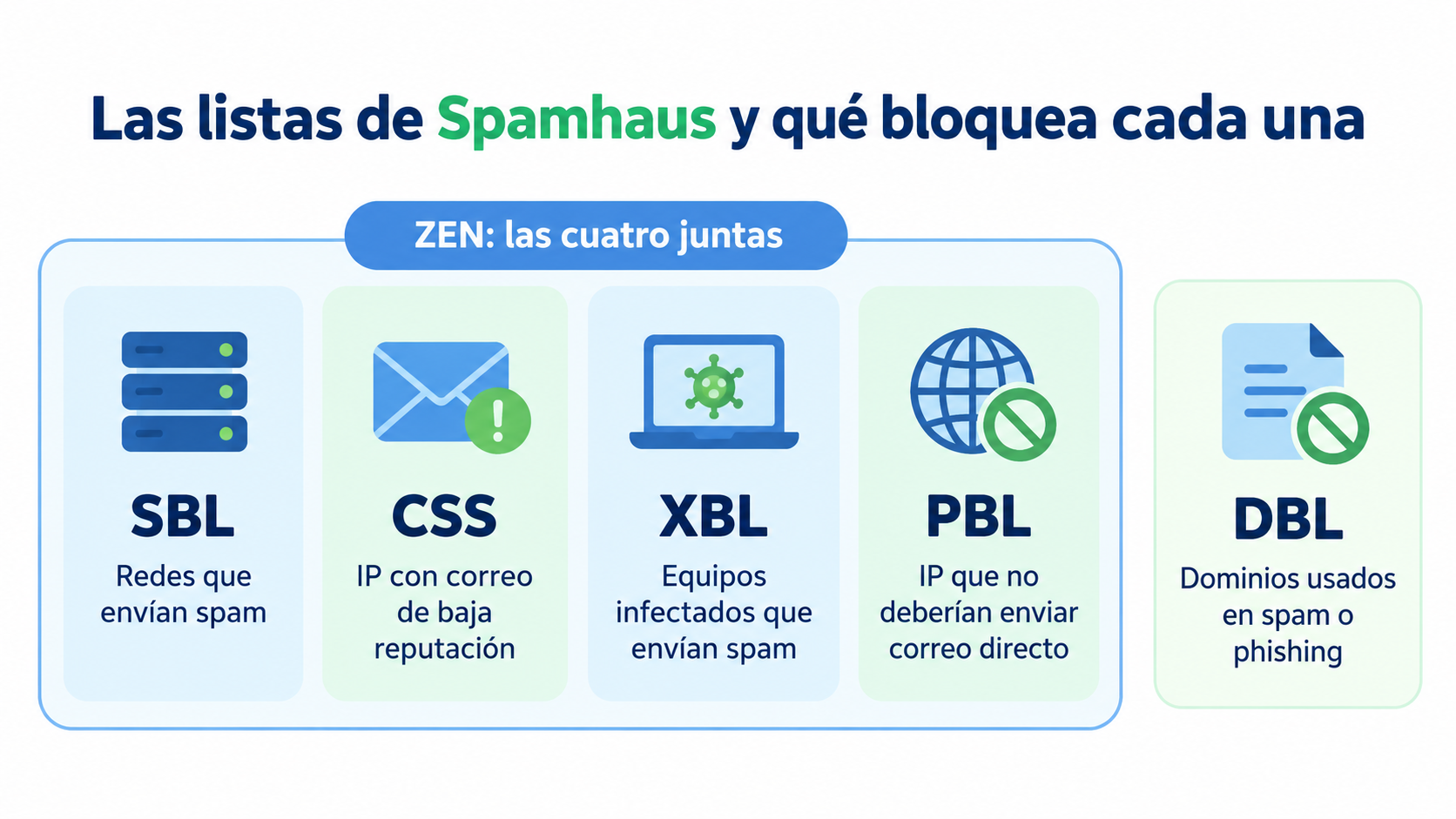
Spamhaus lists and what each one blocks
| List | What it includes | Common reason |
|---|---|---|
| SBL (Spamhaus Blocklist) | IP ranges of malicious networks | Sending spam or providing services to spammers |
| CSS (Combined Spam Sources) | IPs that send low-reputation email | Bulk sending without permission or with many complaints |
| XBL (Exploits Blocklist) | IPs of compromised machines | A virus or a bot sending spam without your knowledge |
| PBL (Policy Blocklist) | IPs that shouldn’t send email directly | Residential or dynamic IPs, defined by the provider itself |
| ZEN | SBL, CSS, XBL and PBL combined | It’s the list servers usually check |
| DBL (Domain Blocklist) | Low-reputation domains | Domains used in spam, phishing or malware |
The DBL isn’t part of ZEN because it blocks domains, not IPs. An email can run into problems because of the IP that sends it or the domains it contains.
Send your campaigns from monitored IPs
Create your free Mailrelay account and send without setting up or maintaining your own mail server.
How can you tell if you’re on a Spamhaus list?
The clearest signs are these:
- Bounces with messages that mention Spamhaus (for example, “blocked using zen.spamhaus.org”).
- A sudden drop in deliveries or opens across several providers at once.
To confirm it, enter your IP or domain in the official checker, the Spamhaus Reputation Checker (check.spamhaus.org). It tells you which list you’re on, why, and what steps to follow.
Why do you get listed on Spamhaus?
The most common reasons are:
- Sending to purchased or old lists, which often contain spamtraps: trap addresses that nobody uses and that only receive spam.
- Many complaints or bounces, a sign that recipients weren’t expecting your emails.
- A compromised machine or website that sends spam without your knowledge.
- Sending from a residential or dynamic IP instead of your provider’s mail server (PBL).
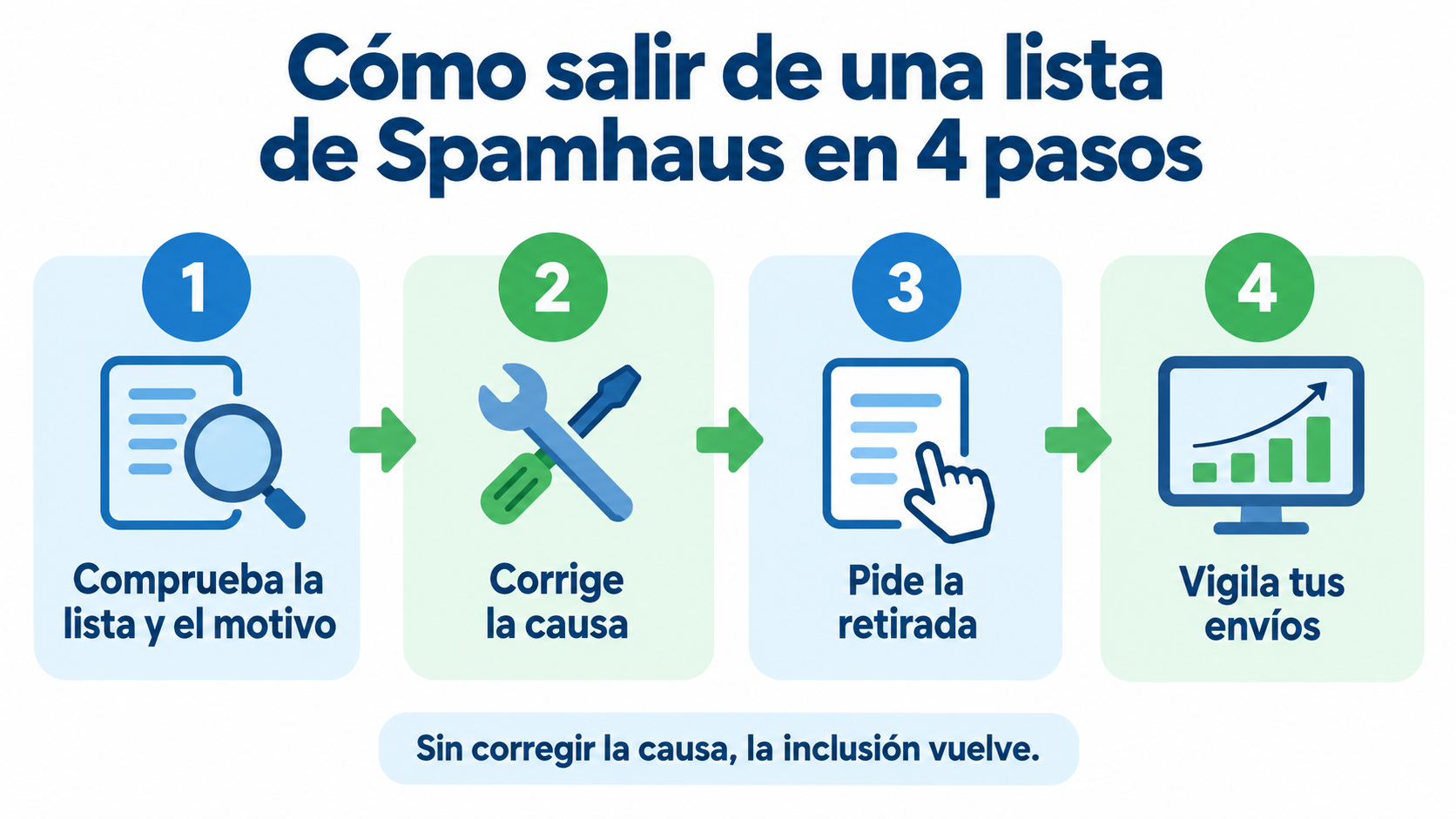
How to get off a Spamhaus list in 4 steps
- Check the list and the reason at check.spamhaus.org.
- Fix the cause:
- Clean your list and stop sending to contacts without permission.
- Remove the malware.
- Configure your server to send through your provider’s server.
- Request removal from the checker itself and explain what you’ve fixed.
- Monitor your sending over the following weeks. If the problem comes back, the listing can come back too, and each time it’s harder to get off.
Requesting removal without fixing the cause doesn’t work: Spamhaus lists the resource again if the problem continues.
How to avoid getting on Spamhaus
- Use double opt-in. With double opt-in, every contact confirms their address and no spamtraps get in.
- Don’t buy lists or import contacts without permission.
- Keep your list clean:
- Remove hard bounces.
- Remove anyone who hasn’t opened in a long time.
- Handle every complaint.
- More details in the list hygiene guide.
- Authenticate your sending with SPF, DKIM and DMARC.
- Keep an eye on your sender reputation regularly.
How Mailrelay helps you
If you send your campaigns with Mailrelay, you don’t need your own server. Emails go out from shared IPs that are continuously monitored. In addition, Mailrelay always works with double opt-in and has an anti-spam policy that protects the reputation of all senders.
If you send large volumes, you can get a dedicated IP and warm it up gradually with IP warming. With the free account you can send up to 80,000 emails per month.
Start for free with Mailrelay
Up to 80,000 emails per month, double opt-in and human support on every plan.
Frequently asked questions
What is Spamhaus?
A non-profit organization that publishes lists of IPs and domains related to spam and other threats. Mail servers check them to decide whether to accept an email.
What is zen.spamhaus.org?
It’s the combined Spamhaus list: it brings together SBL, CSS, XBL and PBL in a single query. If a bounce mentions it, your IP is on one of those four lists.
How do I know if my IP is on Spamhaus?
Enter it at check.spamhaus.org, the official checker. It tells you which list it’s on and how to request removal.
Does being on the PBL mean I’ve sent spam?
No. The PBL includes IPs that, according to their provider, shouldn’t send email directly, such as residential connections. The solution is to send through your provider’s mail server.
Is it spelled Spamhaus or Spamhouse?
Spamhaus, with “aus” at the end. “Spamhouse” and “spam house” are common mistakes when searching for it.