What is Manychat? What it’s for, how it works and pricing
How it automates Instagram, WhatsApp and Messenger, how much it costs and how to connect it to your email
How it automates Instagram, WhatsApp and Messenger, how much it costs and how to connect it to your email
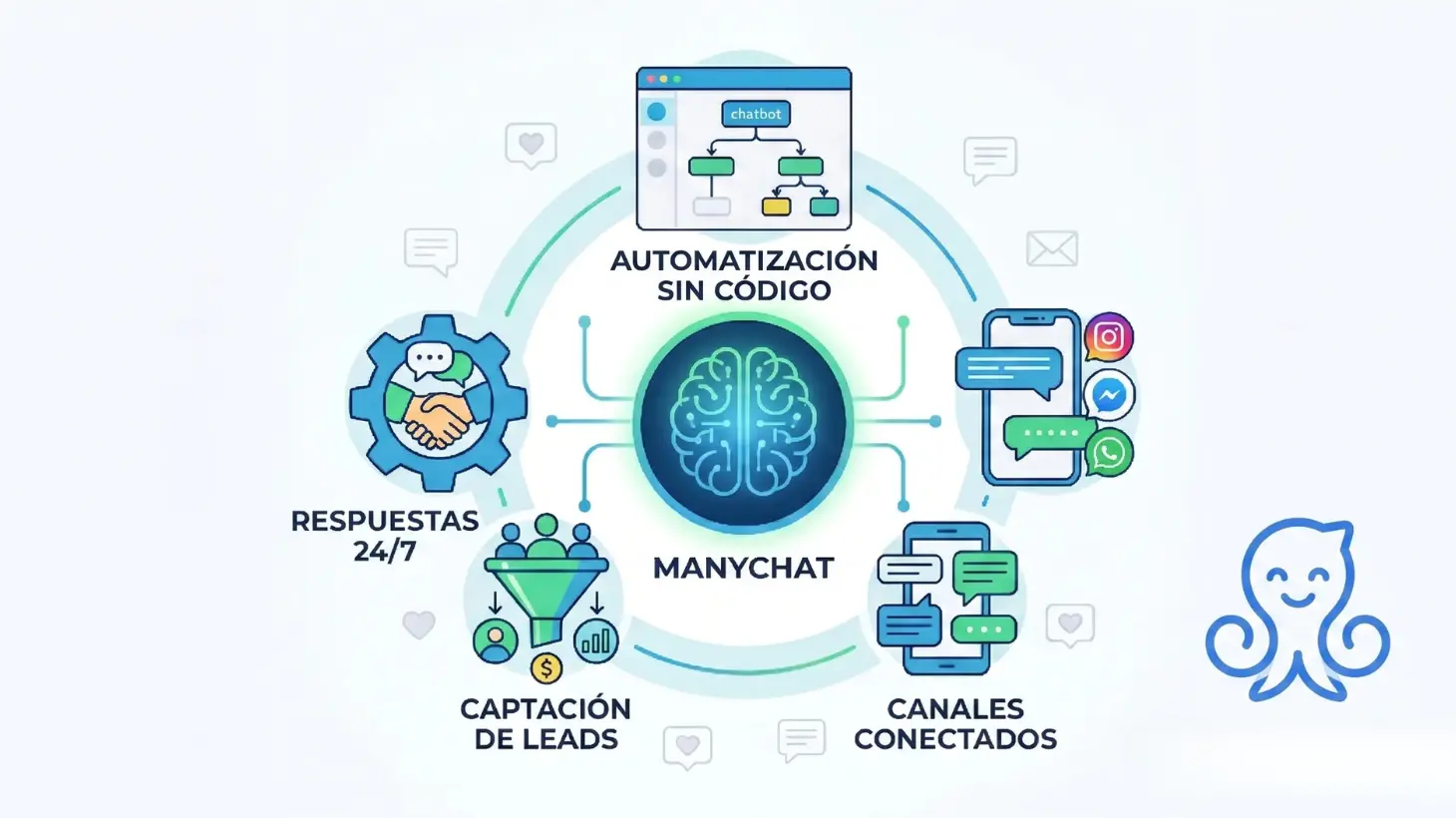
Manychat is a platform that automates conversations on Instagram, WhatsApp, Facebook Messenger and TikTok with no coding required. You can use it to reply to messages instantly, send resources to anyone who comments a keyword and capture leads with visual flows. It has a free plan for 25 active contacts per month, and the Pro plan starts at 39 dollars a month.
Automating conversations is no longer something reserved for large companies.
Today, any business that receives messages on Instagram, WhatsApp, Facebook, or even TikTok can use tools like Manychat to answer frequent questions, capture leads, send resources, start sales funnels, or hand conversations over to a team member when necessary.
The idea is simple: if lots of users write to you asking the same thing, comment “info” on your posts or abandon conversations before buying, you can create automations that do that initial work for you.
That being said, Manychat should not be seen as a substitute for human interaction. Its greatest value lies in automating repetitive tasks so your team can focus on the most important conversations.
In this article, we’ll look at what Manychat is, what it’s for, how it works, which channels it can automate, how much it costs and how you can connect it to Mailrelay using Make to bring those contacts into your email marketing campaigns as well.
From chat to email: don’t lose a single lead
Bring the leads you capture with Manychat into your email campaigns and automations with Mailrelay.
Manychat is a conversation automation platform that lets you create automated flows for channels such as Instagram, WhatsApp, Facebook Messenger, TikTok, Telegram, SMS and email. According to Manychat’s own website, its proposal focuses on automating conversations to sell more, improve interaction, and grow audiences on Instagram, WhatsApp, TikTok, and Messenger.
Simply put: Manychat lets you create a chatbot without any coding.
For example, you can set up an automation so that when someone comments “GUIDE” on an Instagram post, they automatically receive a private message with the download link. You can also create a flow to answer frequently asked questions on WhatsApp, request contact details, segment the user according to their answers, or send a conversation to the sales team.
The key to Manychat lies in the flows. Instead of manually answering each message, you design a conversation with different steps, buttons, conditions, and answers.
This way you can automate actions such as:
Therefore, Manychat is widely used in businesses that work with social networks, ecommerce, infoproducts, services, bookings, training, events, or customer service.
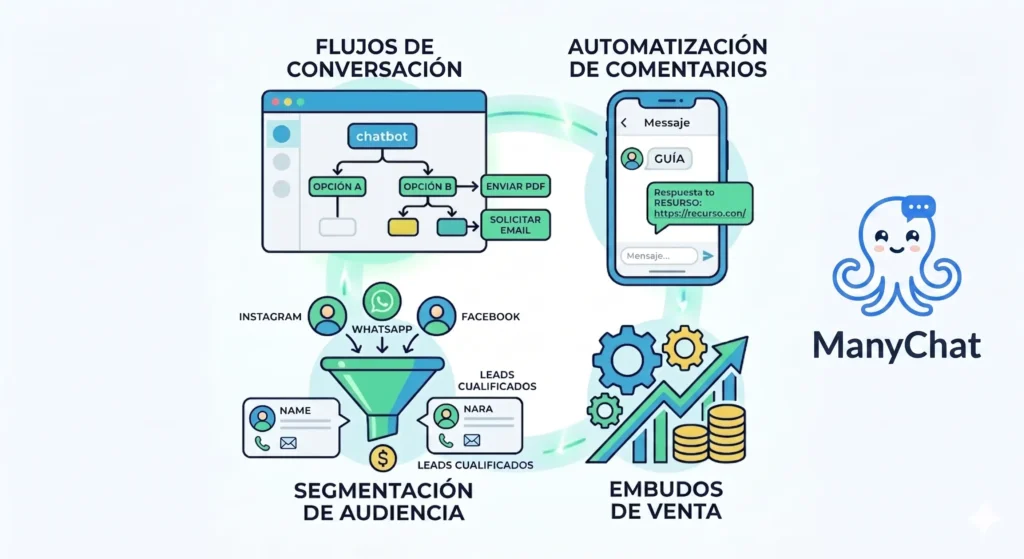
Manychat is used to automate conversations that you would otherwise have to manage manually.
Its value isn’t just in “replying quickly”, but in better organizing the lead capture, customer service and sales process. Well configured, it can help you convert comments, messages, and clicks into real contacts within your marketing strategy.
One of Manychat’s most obvious functions is replying automatically when someone writes outside business hours or when the team can’t attend to every message right away.
This is especially useful on Instagram and WhatsApp, where users expect quick replies. If someone asks about prices, availability, opening hours or terms, an automatic reply can keep their interest from cooling off.
It’s not about pretending that a person is replying. It’s about offering a useful, clear and quick first response. Afterwards, if the user needs more specific help, the conversation can be handed over to a team member.
Manychat can also be used to capture leads in a more natural way than a traditional form.
Instead of asking the user to fill out several fields right from the start, you can initiate a simple conversation. For example, the user comments a keyword on Instagram, receives a private message, answers a couple of questions, and leaves their email or phone number to receive more information.
This format usually works well because it reduces friction. Users don’t feel like they’re “filling out a form”, but rather taking part in a conversation.
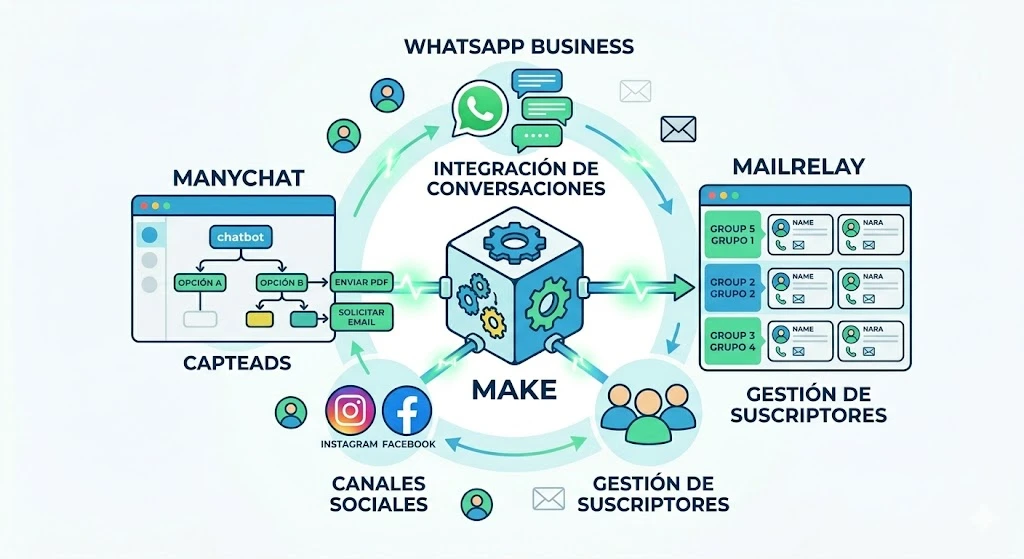
Afterwards, that data can be sent to other tools. In the case of Mailrelay, the connection can be made through Make, creating a scenario that collects the contact from Manychat and creates or updates them as a subscriber in Mailrelay. Make allows you to integrate Manychat with automation flows and, in the case of Mailrelay, create or update subscribers, manage groups, and maintain segmented lists.
One of the most popular features of Manychat is comment automation, especially on Instagram.
You’ve probably seen posts that say: “Comment GUIDE and I’ll send it to you by DM”.
That process can be automated with Manychat. When the user comments a specific word, the tool can send them a direct message with the resource, a question, a link, or the start of a flow.
This allows you to turn public interaction into a private conversation. And that is where real lead generation begins.
For example, you can use it to deliver:
Comment automation is very useful because it leverages the user’s interest right at the moment they interact with your content.
Manychat can also be used to create conversational sales funnels.
Instead of sending the user directly to a checkout page, you can guide them step by step. First you ask them a question, then you detect their need, then you show them an option, and finally you send them to an offer, a call, a demo, or a checkout.
For example, an ecommerce could ask what type of product the user is looking for. Based on their answer, Manychat can recommend a category, send a link, or apply a tag to send them a more personalized promotion later.
In services, the flow can be used to qualify the lead before forwarding it to the sales team.
This way the bot doesn’t just reply. It helps to organize the purchase intent.
Manychat also includes features related to artificial intelligence, especially in its paid plans. On its official pricing page, Manychat mentions features such as intent recognition, AI steps, text improvement and assistance in creating automations.
This allows you to create less rigid conversations than automations based solely on buttons or keywords.
Even so, you should be careful. AI can help a lot, but it doesn’t mean you should leave the entire conversation uncontrolled. The ideal approach is to combine automated responses, well-thought-out flows, and hand-off points to a person when the user needs more specific attention.
The best automation isn’t the one that looks the most complex, but the one that best answers the customer’s question.
Manychat can be integrated with external tools so that the conversation doesn’t stay isolated inside the chat.
Here is where Make comes in as a bridge between applications.
Make lets you use Manychat as a trigger when a lead’s information is captured or a new subscriber is added, and it also lets you run actions in Manychat such as tagging contacts, sending messages or triggering flows.
This is important because many companies don’t want the contact to stay only on Instagram or WhatsApp. They want to send it to a CRM, a spreadsheet, an email marketing tool or a sales platform.
You can also integrate Make with Mailrelay, managing lists, creating or updating subscribers and segmenting contacts into groups.
A practical example would be:
This is how you connect chat marketing with email marketing.
Manychat also lets you segment users based on their answers, actions or interests.
This is very useful because not all contacts have the same intent.
A user asking for prices shouldn’t receive the same thing as someone who just wants to download a guide. A customer who has already purchased doesn’t need the same flow as a person who has just discovered the brand.
With tags, custom fields and conditions, you can organize your audience better.
For example:
The better you segment, the more relevant your subsequent messages will be.
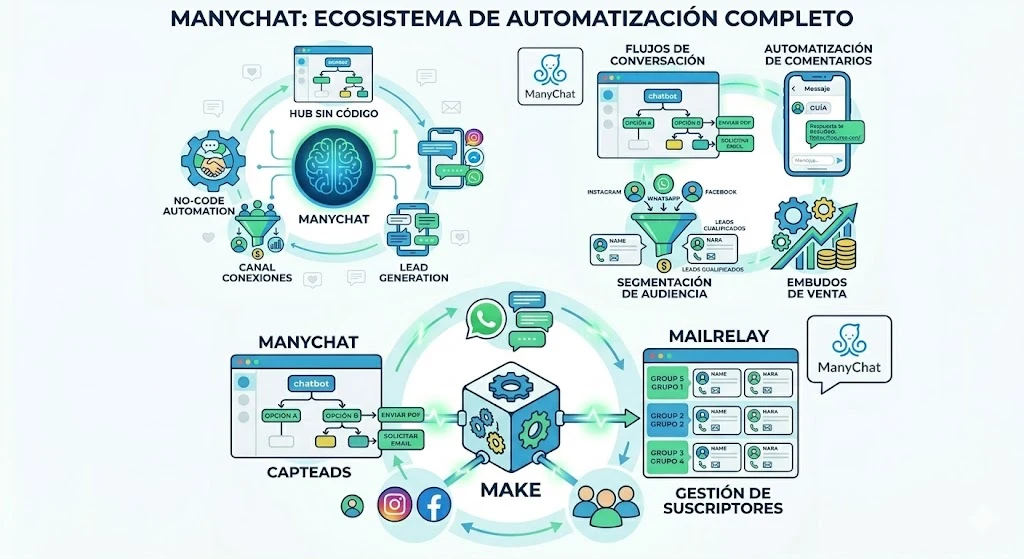
Manychat works through visual automations. You don’t need to code, but you do need to carefully think through the journey you want the user to follow.
The basic process would be this:
This last point is important. Manychat can be very useful for capturing initial attention, but email marketing allows you to nurture the relationship in the medium and long term without depending solely on the social network or messaging app.
Manychat can be a very powerful tool, but it doesn’t fit equally in all businesses, nor should it be configured haphazardly.
Its main advantage is time savings. If you receive many repeated questions, comments with keywords, or messages about the same topics, automating that first reply can free up many hours of work.
It also improves response speed. The user receives an immediate reply, even if they write at night, on the weekend, or when the team is busy.
Another advantage is that it helps convert interactions into leads. A comment on Instagram can become a private conversation. That conversation can become an email. And that email can end up in a Mailrelay campaign.
In addition, Manychat allows you to create more dynamic experiences than a classic form. The user answers within a conversation, with buttons and guided steps.
Among its main advantages are:
But it also has disadvantages.
The first is that a poorly designed automation can come across as cold or annoying. If the flow is poorly designed, the user might feel they are talking to a machine that understands nothing.
The second is that it requires strategy. Manychat doesn’t fix an unclear message, a weak offer, or a bad shopping experience. It only automates the process.
The third is that some advanced features are tied to paid plans, contact limits or additional costs depending on the channel, especially when it comes to WhatsApp, SMS or advanced features.
You also need to take regulations and permissions into account. You shouldn’t send communications without consent or use intrusive automations.
Therefore, Manychat works best when used with a clear idea: automate the repetitive, capture data with permission, and continue the relationship on proprietary channels like email.
Complete your conversational strategy
Combine chat and email: automated welcome messages, segmentation and real-time follow-up. Up to 80,000 emails a month for free.
Manychat works with several conversation channels. Manychat’s own documentation lists channels such as Instagram, TikTok, WhatsApp, Facebook Messenger, Telegram, email and SMS. (help.manychat.com)
The key isn’t to activate all of them, but to choose the ones where your audience is.
Instagram is one of the most interesting channels to use Manychat.
It allows you to automate replies to direct messages, comments, story mentions, or keywords. It is especially useful for personal brands, ecommerce, visual businesses, infoproducts, training, events, and services that capture demand from content.
A typical use would be to publish a reel and ask the user to comment a specific word to receive a resource. Manychat detects the comment and automatically sends a private message.
You can also use Instagram to:
Used well, Instagram stops being just a visibility channel and becomes a source of leads.
Facebook Messenger is still useful for certain businesses, especially those that work with communities, Meta ads or audiences that still interact a lot on Facebook.
Manychat allows you to create automations in Messenger, answer frequently asked questions, send information, trigger flows from ads, or run evergreen campaigns.
Although Instagram and WhatsApp usually take the spotlight in many sectors, Facebook can still be interesting for local businesses, training, events, ecommerce, or brands with active communities.
The advantage is that it can be integrated within the Meta ecosystem alongside Instagram and advertising campaigns.
WhatsApp is one of the most powerful channels because users perceive it as personal, fast and direct.
Manychat can be used to automate conversations in WhatsApp Business, especially in customer service, sales, bookings, follow-up, or support processes.
For example, you can set up flows to answer frequently asked questions, send product information, confirm details, hand off to an agent or follow up after a purchase.
However, WhatsApp requires taking great care with user consent and experience. It is not a channel to saturate with messages. It is a channel for useful and expected conversations.
That is why a good strategy usually combines WhatsApp for immediate conversation and Mailrelay for broader communications, newsletters, or email marketing campaigns.
TikTok is also part of the Manychat ecosystem. Manychat’s official website lists TikTok automation among its main channels.
This channel is interesting for creators, personal brands, ecommerce, and businesses that generate a lot of reach with short-form video.
The logic is similar to Instagram: converting a content interaction into an automated conversation.
For example, if a video generates many questions about a product, a guide, or a service, you can create a flow to direct the user to the next step.
TikTok can help you generate discovery, but automation allows you to better capitalize on that peak of attention.
Telegram can be useful for communities, training courses, private channels, launches or businesses that already work with an audience used to this platform.
Manychat includes Telegram among its available channels, according to its help documentation.
Its main advantage is that it allows you to maintain conversations and organize communities more directly than other channels. It can work well for educational projects, paid communities, support groups, or recurring communication.
Even so, not all businesses need Telegram. It would only make sense if your audience is already there or if you have a clear strategy to bring them to that channel.
SMS may seem like an older channel, but it’s still useful for specific, quick, high-visibility communications.
Manychat includes SMS as a channel within its documentation.
It can be used for reminders, notices, confirmations, codes, appointments, or urgent messages. The problem is that it usually has associated costs and requires very careful use so as not to be invasive.
It is not the ideal channel to send long-form content. For that, email is usually better.
But it can be useful as support at specific moments in the customer journey.
Manychat also includes the email channel, but if your email marketing strategy is going to carry weight, the logical thing is to connect it with a specialized service like Mailrelay.
Why?
Because an email marketing platform allows you to manage lists, segment, send newsletters, run campaigns, review statistics, and better scale communication with your database.
This is where Make plays an important role. Make allows you to connect Manychat with Mailrelay so that contacts captured from conversations can be automatically added to your email marketing groups or lists.
This way you can use Manychat to capture the lead at the moment of the conversation and Mailrelay to nurture the relationship later.
Manychat has different plans and its prices can change over time, so it is always advisable to check the official page before signing up.
Since March 2, 2026, Manychat charges by active contacts: people who send or receive at least one message during the month. It no longer counts all the contacts you have saved, as it used to.
These are its plans as of September 2026, according to pricing analyses by ChatBot.com and Dealism:
| Plan | Price | Active contacts per month | What it includes |
|---|---|---|---|
| Free | $0 | 25 | Up to 2 channels, basic automations and 1 user |
| Pro | $39 a month ($29 with annual billing) | 2.500 | Unlimited automations, AI conversations, broadcasts and integrations |
| Business | $99 a month | 7.500 | Pro features with higher volume |
| Advanced | $199 a month | 25.000 | For accounts with heavy message traffic |
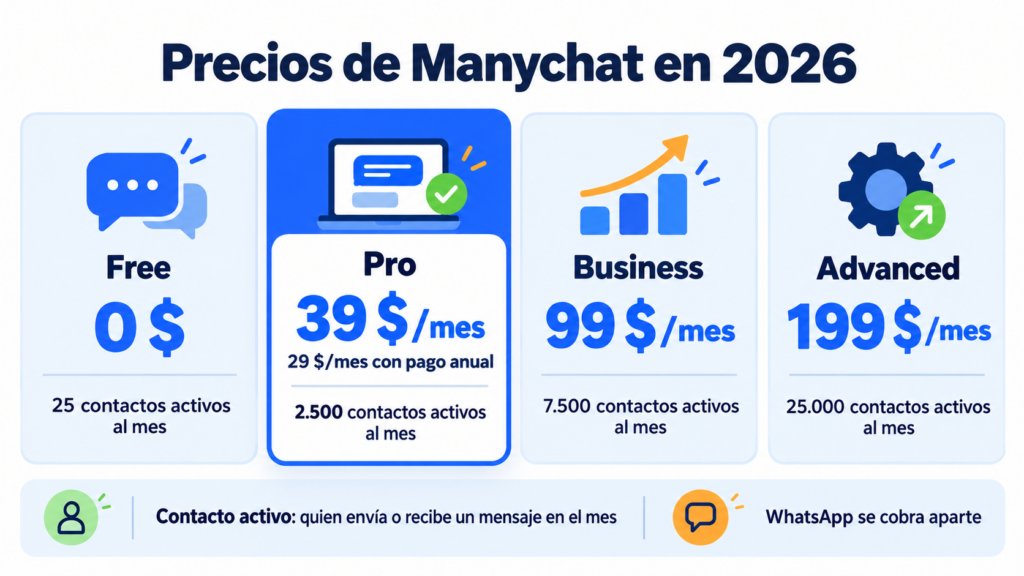
Notice the jump from the free plan: 25 active contacts are enough to try out the tool, but not for real use. As soon as a “Comment GUIDE” reel takes off, you’ll go over that limit in a day.
On top of these prices, you need to add the costs of some channels. On WhatsApp, Meta charges separately for template messages, with rates that vary by country and message type. You can check the up-to-date terms on Manychat’s official pricing page.
In practice, this means you should review three things before choosing a plan:
For initial testing, the free plan can serve to understand the tool. For real business use, especially if you are going to automate Instagram, WhatsApp, and connect with Mailrelay via Make, you will probably need a paid plan.
In addition, some channels may have additional costs or specific conditions. WhatsApp, SMS, and certain advanced features usually require a more careful review before calculating the final cost.
Other articles that may interest you:
The combination of Manychat with artificial intelligence can greatly improve the user experience, as long as it is configured sensibly.
Until recently, many chatbots worked almost exclusively with buttons, keywords, and closed answers. That worked for simple cases, but could fall short when the user wrote more naturally.
With AI features, Manychat can help better recognize message intent, improve texts, or create more flexible conversational steps.
Manychat mentions features like intent recognition, AI Step, text improvement, and assistance in building automations within its advanced plans.
This allows for creating less rigid experiences.
For example, if a user writes ‘I want to know how much it costs’, ‘send me prices’, or ‘what is the price’, the AI can help interpret that the intent is the same: inquiring about price.
Even so, AI should not be used without control. The recommendation is to combine it with clear flows, reviewed messages, and well-defined limits.
A good configuration should decide:
The best pairing isn’t Manychat + AI without supervision. It is Manychat + AI + strategy + human review.
That’s where automation really helps you sell, serve customers and capture leads better.
Manychat can help you capture attention at the exact moment: when someone comments, writes on Instagram, replies to a story, or starts a conversation on WhatsApp.
But afterwards you need to maintain that relationship.
And that is where Mailrelay comes in.
With Mailrelay, you can turn the contacts captured with Manychat into your own database to send newsletters, sales campaigns, educational content, promotions or automated email marketing sequences.
The connection between Manychat and Mailrelay can be made using Make.
It works in a simple way:
Make lets you integrate Manychat into workflows to capture lead information and trigger actions, while its Mailrelay integration lets you automate the management of subscribers and groups.
This is especially useful because you don’t rely solely on Instagram, WhatsApp, or any other external platform.
You build your own database.
With Mailrelay you get:
This way you can use Manychat to start conversations and Mailrelay to continue the relationship via email.
And if, in addition to email, you need to send messages to mobile phones, also check out Mailrelay’s SMS pricing: you can send them from the same automations as your emails.
Because capturing a lead is good.
But working it later with a good email marketing strategy is what can turn that conversation into a real sale.
Start for free with Mailrelay
Create your free Mailrelay account and connect your Manychat leads with professional email marketing campaigns. No credit card required.
What is Manychat and what is it for? It’s a platform for automating conversations on Instagram, WhatsApp, Facebook Messenger, TikTok and other channels. You can use it to answer frequently asked questions, send resources to anyone who comments a keyword, capture leads and guide users toward a purchase.
How does Manychat work? You create visual flows without coding. Each flow starts with a trigger, such as a direct message or a comment with a specific word, and continues with messages, buttons, questions and conditions that respond automatically.
Is Manychat free? It has a free plan with 25 active contacts per month, up to 2 channels and basic automations. It’s enough to try out the tool, but for real use you’ll need a paid plan.
How much does Manychat cost? The Pro plan costs 39 dollars a month, or 29 a month with annual billing, for 2,500 active contacts. The Business and Advanced plans cost 99 and 199 dollars for higher volumes. WhatsApp has separate costs.
Is Manychat available in Spanish? You can create messages and flows in Spanish, because it supports any language in conversations. The interface, documentation and most templates are mainly in English.

Jose Argudo
CMO at Mailrelay. Writes about email marketing, copywriting and conversion for small businesses and entrepreneurs.