Testimonials
Drip Email Marketing: The Definitive Guide For eCommerce
The vast majority of modern marketers always emphasize the importance of building a good email list. Your list can make or break your whole email strategy so the importance of email lists is unquestionable. However, what should you do to make your email list actually work for you? Newsletters are a great solution if you…
How to Improve Your Email Marketing Strategy in 10 Steps
To achieve your marketing goals online, you need an effective email marketing strategy. It allows you to reach existing clients to ensure repeat business and find new, potential clients that can grow your sales. Distribution of content is an essential digital marketing function to obtain maximum benefit from it. Creating and crafting emails can be…

How to easily create a newsletter to increase your sales
Why use a newsletter as a sales tool? Well, the reality of most companies and entrepreneurs is that they don’t have time to plan complex sales strategies. This lack of time directly collides with three basic needs of companies: If a company or entrepreneur doesn’t sell regularly, problems will soon arise. And we aren’t talking…
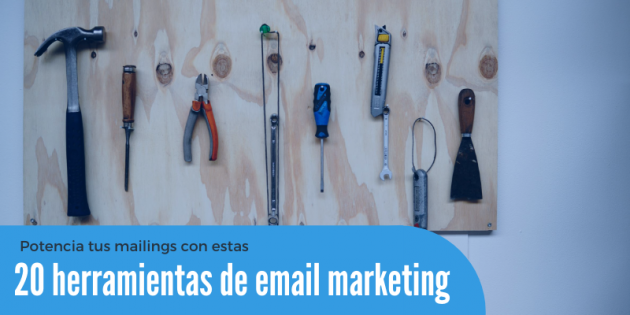
20 email marketing tools to boost your email marketing campaigns
Sending beautiful emails – but lovely ones – is an art that gets better with practice. But email marketing tools also have a lot to do with it. From getting more subscribers to creating attractive or personalized images to improving the subject of your mailings… the different email marketing tools on the market help you…

Best Marketing Tools for Small Businesses
As a small business owner, your focus is entirely on boosting brand awareness, finding leads, converting prospects, and boosting website traffic. This is where the role of marketing tools becomes crucial. Marketing tools help you to achieve all your small business goals in a budget-friendly manner. However, selecting the best tool depending on your exact…

How to Protect Your Online Store, so You Don’t Lose Sales and Money
Many customers today are choosing to shop online instead of the traditional brick and mortar shopping methods. This new trend, unfortunately, is also promoting a steady rise in online eCommerce transactions meaning more security violations from hackers. You must protect your online store and customers against the many dangers posed by fraudsters and hackers. Why?…
5 Ways You Can Repurpose Content for Your Email Marketing Efforts
As a content marketer, blogger, or as someone with an online audience, you know how hard it is to come up with content ideas. Sure, you have inspiration strike, and it can keep you going for a long time, but sometimes the creative well dries up and you’re left looking under stones for the best…

Daily email strategy: everything you need to know to apply this technique
We all seek (intentionally or not) a specific routine in our day. We set the alarm for the same time, have lunch in the same restaurants, and do many things repeatedly. That is, we follow a daily routine and do basically the same things. If you like a daily TV show, you will probably be…

What is evergreen content, and why use it in your strategy?
We can’t start this article any other way than by defining the meaning of evergreen content. This type of content can be defined as timeless content or content that won’t expire. Evergreen content remains relevant over time and can be updated if necessary. A content marketing agency will become your best ally if you want…
How to Create, Design and Promote a Business Page on Facebook, Pinterest and LinkedIn
Social media platforms unite billions of people. If a brand needs to get in touch with its audience, it can create a business account. Proper design and promotion of the page will help solve various problems: from the growth of recognition and loyalty to the increase in financial performance. Let’s consider how to create a…

7 strategies you probably don’t know about Google Ads audiences
One of the areas most overlooked by many marketing managers on Google Ads is audience segmentation. With each passing year, Google offers new audience targeting and ways of reaching potential customers, so it’s normal not to always be on top of all the new features. However, the incorrect use of audience segmentation could affect the…
5 internal communication tools to improve team workflow
Have you ever tried to organize a team? If you work with several people, you will understand how important it is to have good communication between all members so as not to duplicate tasks, paddle in the same direction, work towards the same goals, meet deadlines … Whether you manage a company, startup, digital business,…
How to Enhance Your Customer Experience using Live Chat?
The role of an AI-powered live chat software in the modern-day customer support plan cannot be emphasized enough. But we’re still going to give it a try: Clearly, live chat is driving the customer service space, making customer experience prompt, accurate, and seamless. Now that we’ve understood what the benefits of using live chat are,…

The 6 best project management systems to improve your team’s productivity
When you have to start a new project, whether working as a team or individually, it is always advisable to correctly organize all tasks in order of priority. This way, you guarantee better control over what each team member must do, preventing something from being overlooked, and you can discard the bad timing in each…

How to automate your most important social media accounts and save time
If you work as a social media manager or as a community manager, you know that time management is essential. Likewise, if you manage your profiles on social media, we will explain how to automate them and save time. By automating your social media, in addition to managing your time well, you will work in…
3 simple ways to increase the clickthrough rate of your email marketing campaigns
More clicks on the links in your email marketing campaigns means more sales possibilities, right? Of course, if contacts don’t go to your website or store, they probably won’t buy from you. How, then, can we get more clicks on our links or calls to action? Well, for this little problem, there are some very…

Give a spin to your content strategy with these tips
Strategies are the path that every brand must establish to achieve its goals and objectives. In the case of content marketing strategies, it is vital to work mainly to improve the ranking of your website or blog and create a closer relationship with your target audience. To start preparing relevant content, you will need to…

Does Email Design Actually Matter?
Every email marketer dreams of sending beautiful campaigns that convert. Study after study confirms the RIO potential of email, but what’s less clear is the creative path you should walk to get there. There’s a healthy body of evidence to support the humble plain text email. Meanwhile, our inboxes are filled with highly-designed campaigns from…