Click To Call (CTC)
How to get your customers to call you with a single tap from your website, your ads or your emails
A customer is browsing your website on their phone and has a question before buying. If they see your number as plain text, they’ll have to copy it, switch apps and dial it. Many won’t bother. If they see a “Call” button, a single tap is all it takes. That small difference is click to call.
What is click to call?
Click to call, or CTC, is a button or link that starts a phone call with a single click. As the name suggests, you click and the call starts.
It’s mainly used on mobile devices, where tapping the button opens the phone app directly with the number already dialed. You can find it on websites, ads, business listings, emails and SMS messages.
Its goal is to remove any obstacles between a customer’s interest and a conversation with your company.
The two types of click to call
The term is used for two different features.
Direct call. The user taps the button and calls your company right away. This is the most common version on mobile websites and ads.
Call request. The user leaves their number in a form and your company calls them, either right away or at a time they choose. It’s also known as callback or “we’ll call you”. It’s useful when the customer is browsing on a computer or would rather not pay for the call.
Why it works
Because it reduces friction. Every extra step between interest and contact costs you potential customers.
On top of that, a phone call has very high commercial value. People who decide to call are usually at an advanced stage of the buying process and want to clear up a specific question before making up their minds. Talking to a person builds trust and makes closing the sale easier.
It’s especially effective in sectors where purchases require advice or urgency: repairs, healthcare, insurance, bookings, professional services or high-value B2B sales.
Where to use click to call
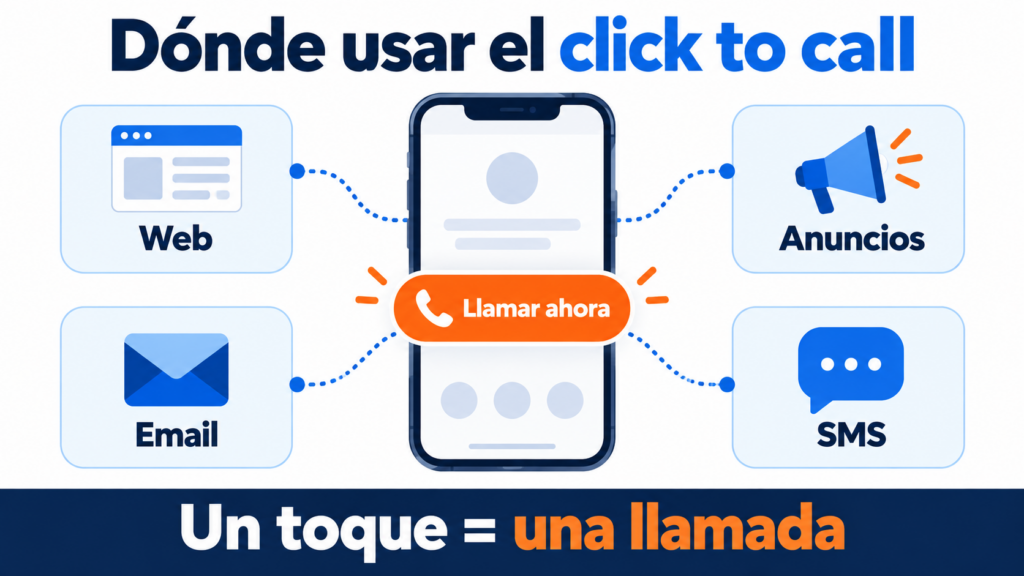
On your website. Place a visible call button in the mobile header, on product pages or on your landing page. Technically, it’s very simple: all you need is a link that starts with “tel:”, such as <a href="tel:+34000000000">Llámanos</a>.
In your ads. In Google Ads you can add call assets, formerly known as call extensions. They show your number next to the ad and let people call without visiting your website.
On your business listing. Business profiles on search engines and maps include a call button. It’s key for local SEO.
In your emails. A call button in a newsletter or a follow-up email helps convert people who need to talk before buying. It works like any other call to action, and on mobile it opens the phone app directly.
In your SMS messages. A message with a linked phone number lets people reply with a call instantly. It works really well with SMS marketing campaigns.
Best practices
These are the keys to making the most of it:
- Make it visible: people should see the button without looking for it, especially on mobile.
- Use clear text: “Call us now” or “Talk to an expert” work better than a plain icon.
- Include the international dialing code: that way the link works from any country.
- Show your opening hours: if nobody answers, the experience is worse than having no button at all. Outside business hours, offer a “we’ll call you” option.
- Adapt the design: on desktop many users can’t call with a click, so show the number as text too. A responsive email helps the button look good on any screen.
- Measure and test: track how many calls each button generates and compare versions with an A/B test.
Click to call and other channels
Click to call doesn’t work alone. Many companies combine the call button with alternatives such as website chat, a chatbot or a direct link to WhatsApp. The latter, known as click to chat, has become very popular in WhatsApp marketing.
Offering several options lets each customer choose the one they prefer. But make sure all of them are staffed: a channel nobody answers hurts your image.
How we help you at Mailrelay
At Mailrelay, we make it easy to include call buttons in your campaigns. From our editor, you can add a button with a “tel:” link to any email or newsletter. You can also send SMS messages with your number so your customers can call you with a single tap.
All of this on a free plan of up to 80,000 emails a month and 20,000 contacts. If you want to try it, you can create your email marketing account at Mailrelay today.
Frequently asked questions about click to call
How do you create a click to call link? With an HTML link that starts with “tel:” followed by the number with its international dialing code. Most website and email editors let you add it without writing any code.
Does it work on computers? It depends on the device. Some open an installed calling app and others do nothing. That’s why it’s a good idea to show the number as text too.
What’s the difference between click to call and callback? With click to call, the customer makes the call. With callback, the customer leaves their number and the company calls them.
In conclusion
Click to call turns interest into conversation with a single tap. It’s easy to implement and very effective for winning customers who need to talk before buying.
Place it where your customers need it, on your website, your ads or your emails, and make sure there’s always someone on the other end of the line.