Save the date: what it is, when to send it and 12 examples to copy
How to get your audience to reserve the day before the invitation arrives
How to get your audience to reserve the day before the invitation arrives
Has this ever happened to you? You open registration for your conference, trade fair or annual event and discover that half of your audience already has other plans that day. It isn’t a lack of interest: it’s simply that nobody sent them a save the date in time.
A save the date is a short message that arrives weeks or months before the formal invitation and asks for just one thing: that the recipient block the date in their calendar.
In this guide you’ll see what it means, when to send it depending on the type of event and what it should include. And, above all, 12 save the date examples ready to copy: by email, SMS and WhatsApp, for professional events and for celebrations too.
Save the date means exactly that: “reserve the day”. It’s the first notice of an event: it announces the day and the place in advance so your guests write it down before committing to something else.
The expression was born at weddings. Today, however, it’s used by conferences, trade fairs, festivals, universities and companies. The format has changed too. It used to be a printed card; now, on the other hand, it’s almost always an email, an SMS or a WhatsApp message.
Don’t confuse it with an event invitation. The save the date announces; the invitation gives all the details and opens registration or asks guests to RSVP. That’s why the first one is short and the second arrives later, once you have the program, speakers, prices or menu.
| Save the date | Invitation | |
|---|---|---|
| Goal | Get them to block the date | Get them to RSVP or register |
| When | Weeks or months before | Closer to the event |
| Content | Date, place, what it is and what comes next | Full program, schedule, prices, registration |
| Action | Add to calendar or join the notification list | Register, buy a ticket or RSVP |
| Length | Very short | As long as needed |
Prepare your save the date with Mailrelay
Design the email, schedule it and back it up with SMS or WhatsApp from the same account. Free up to 80,000 emails a month.

The general rule is simple: the more effort the event demands from the guest, the earlier you should let them know. For example, a conference that involves travel and a hotel needs months, while a one-hour webinar needs a few weeks.
Here’s a guide by type of event:
| Type of event | When to send the save the date | When to send the invitation |
|---|---|---|
| Conference or trade fair involving travel | 4 to 6 months before | 2 to 3 months before |
| Festival or cultural season | 2 to 3 months before | When ticket sales open |
| Company day or event | 6 to 8 weeks before | 3 to 4 weeks before |
| Webinar or online training | 3 to 4 weeks before | 1 to 2 weeks before |
| Association general meeting | As required by the bylaws, with time to spare | With the official notice of meeting |
| Wedding or celebration | 6 to 12 months before | 2 to 3 months before |
That said, don’t send it too early if the date isn’t confirmed yet. Changing a save the date is worse than not sending one: it forces you to send a correction and undermines the credibility of the rest of the campaign.

A good save the date can be read in five seconds. So it doesn’t have to tell the whole story: just what’s needed for the recipient to decide to reserve the day.
These are the elements it shouldn’t be without:
In the email, the date should appear in the subject line or in the first line. Many people don’t open the message, yet they can still remember the day just by seeing it in their inbox. For the button, apply the same rules as for any call to action: a clear verb and a single main option.

Below you’ll find twelve templates. The first eight are emails for different types of event; then come the versions for SMS and WhatsApp, a reminder and an example for weddings. Replace whatever is in square brackets and adjust the tone to your brand.
It works because it puts the date and the city in the subject line and gives a reason to book now: places and hotels sell out.
Subject: Save [May 14 and 15]: [Conference name] returns to [City]
Hi [Name],
We have a date for the next edition of [Conference name]. It will take place on [May 14 and 15] in [City], with two days of talks, workshops and networking for [industry] professionals.
We’re letting you know early so you can plan your schedule and your trip. The program and registration will arrive in [February].
[Button: Add to my calendar]
See you in [City].
A trade fair competes with many other events in the industry. That’s why this template speaks to exhibitors and visitors at the same time and leaves an action open for each of them.
Subject: [Fair name] [2027]: save the date
Hi [Name],
[Fair name] returns from [March 10 to 12] to [Venue] in [City]. More than [300] exhibitors and [20,000] [industry] professionals will meet over three days.
Want to exhibit? Book your space before [November 30] and be among the first to choose your location.
Coming to visit? Write down the date: free badge registration will open in [January].
[Button: I want to exhibit] [Button: Let me know when badge registration opens]
In culture, emotion sells better than facts. All you need is a sentence that sparks curiosity and the date tickets go on sale.
Subject: Write this down: [Festival name] arrives on [September 18]
Hi [Name],
Ten days of [film, music or theater] in [City]. From [September 18 to 27], [Festival name] returns for its [25th] edition.
We can’t reveal the lineup yet. What we can tell you is that tickets go on sale on [July 1] and that subscribers will get a 48-hour presale.
[Button: I want the presale]
A webinar is easy to forget. So this template is the shortest one and makes the calendar action highly visible.
Subject: [Thursday, February 6, 5:00 p.m.]: webinar on [topic]
Hi [Name],
On [Thursday, February 6] at [5:00 p.m. (CET)] we’ll talk about [topic] in a free 45-minute webinar with [Speaker name].
Block out the time now. We’ll send you the access link a few days before.
[Button: Add to Google Calendar] [Button: Add to Outlook]
For employees, on the other hand, the tone can be friendlier. What matters is that nobody plans vacations or trips for that day.
Subject: Don’t miss it: [annual convention], [Friday, June 20]
Hi team,
This year we’re holding the [annual convention] on [Friday, June 20] at [venue]. There will be the year’s results, presentations from each department and, in the afternoon, an activity and dinner.
If you’re planning to request vacation that week, please keep it in mind. The full agenda will arrive in May.
We’re counting on you!
Every year, universities, schools and academies welcome prospective students and their families. Letting them know early allows them to plan the trip and compare options.
Subject: [School] open day: [Saturday, March 15]
Hi [Name],
On [Saturday, March 15] we’re opening our [Campus] facilities so you can learn about our [field] degrees, talk to faculty and students, and get answers to your questions about admissions and scholarships.
Registration will open in [February] and places per session are limited. Would you like us to let you know?
[Button: Let me know when registration opens]
If you work in education, our guides on email marketing for training centers and email marketing for universities have more ideas for the entire admissions cycle.
In associations, professional bodies and trade guilds, the save the date doesn’t replace the official notice of meeting. Even so, it improves attendance and helps reach a quorum.
Subject: General meeting [2027]: save [Thursday, April 24]
Dear member,
We’d like to let you know in advance that the Annual General Meeting will be held on [Thursday, April 24] at [6:00 p.m.] at [venue] and also by video conference.
In the coming weeks you’ll receive the official notice of meeting with the agenda and the documents.
Thank you for being part of [Association name].
Here the goal is to build anticipation without revealing too much. If you want to prepare the whole plan, our guide to product launches can help.
Subject: On [November 12] we’ll show you something new
Hi [Name],
We’ve spent months working on something that will change the way [customer benefit]. On [November 12] at [11:00 a.m.] we’ll present it live.
Those who join the notification list will get early access and a special price during the first week.
[Button: I want early access]
An SMS has 160 characters per message and goes straight to the phone. It works as a backup to the email save the date, especially for contacts who don’t open their email.
Here are two versions:
[Brand]: Save May 14 and 15. [Conference name] returns to [City]. Program in February. Info: [short link]
[Brand]: Free webinar Thursday 2/6 at 5 p.m. on [topic]. Block out the time: [short link]
Also, always identify the sender at the start of the message and use a short link. If you want to learn more about the channel, take a look at our post on mass SMS.
With WhatsApp marketing you can send a more visual message: an image with the date, a short text and buttons. For campaigns, the message must be based on a template approved by Meta.
📅 Save the date
[Event name] will take place on [May 14] in [City].
We’ll send you the program and registration in [February].
[Button: Add to calendar] [Button: More information]
Only send it to contacts who have agreed to receive messages on this channel; for email, the ideal way to collect that permission is with double opt-in. And make the most of the fact that the recipient can reply: many questions get answered right in the conversation.
Sometimes months go by between the save the date and the invitation. A reminder halfway through keeps the date alive without wearing people out.
Subject: Is it in your calendar? [Event name], [May 14]
Hi [Name],
There are three months to go until [Event name] and we already have some news: [first speaker confirmed / new venue / new activity].
If you haven’t saved the date yet, now is a good time. The invitation with the full program will arrive in [February].
[Button: Add to my calendar]
The save the date was born here, so it couldn’t be left out. A warm tone, the date nice and big and the promise that the invitation will follow.
Subject: We’re getting married! Save [June 6, 2027]
Hi!
We have some news we want to share with you: [Name] and [Name] are getting married on [June 6, 2027] in [City].
There’s still time, but we’d love it if you could save that day to celebrate with us. The formal invitation will follow.
Save the date!
As you can see, all the save the date templates share the same structure: a visible date, one sentence about the event, an action and a note on what comes next. The tone changes, but the skeleton doesn’t.
Got your template?
Copy it into Mailrelay, segment your guests and schedule the send and the reminder in a few minutes.
A save the date is short, but it has its pitfalls. These are the most common ones.
Sending it before the date is confirmed. First confirm the venue and the day; if they might change, wait. A correction causes confusion and unsubscribes.
Including everything. The program, prices, speakers and menu go in the invitation. If you cram everything into the save the date, the main message gets lost. Start from a simple email template, with a single block of text and a button.
Not giving any action. “Save the date” is fine, but a button to add it to the calendar or join the notification list turns the intention into something concrete.
Sending the same thing to everyone. An exhibitor and a visitor, or a member and a non-member, need different messages. Use subscriber groups or custom fields to separate them.
Forgetting about mobile. Today, most of these messages are read on a phone. Use responsive design and put the date at the top, so nobody has to scroll.
Hiding the date in an image. If the email client blocks images, the recipient won’t see the day. So write it as text too.
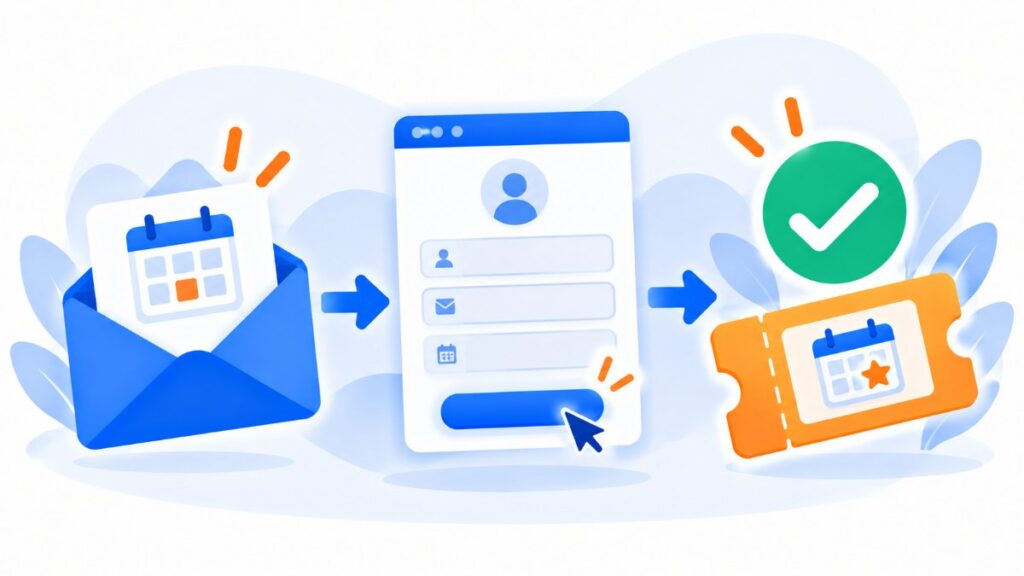
The save the date is only the first piece. Next come the invitation, the opening of registration, the reminders, the confirmation and the post-event messages.
Want to plan that whole sequence? Our guide on how to plan the email schedule for a call for registrations covers the six phases and includes a 30-day example. You’ll also see who to exclude from each send.
Imagine a conference in May. The save the date goes out in December, the reminder in February and the invitation with registration in March. From then on, each send excludes those who have already registered. That way the last reminder only reaches those who haven’t taken the step yet.
For the registration confirmation, use a transactional email: it arrives in seconds and it’s the signal that removes that person from the reminders. And if you’re worried it won’t arrive, check out how to improve the deliverability of confirmation emails.

With Mailrelay you can prepare the entire event cycle from a single account.
Email, SMS and WhatsApp in the same dashboard. Send the save the date by email and then back it up with SMS or WhatsApp, with Meta-approved templates, image headers and buttons. You can also see how many messages have been delivered and read.
Landing page and form for the notification list. With our landing page editor you can create a page in minutes with a subscription form for anyone who wants to get the invitation before anyone else.
Segmentation by type of attendee. With groups and custom fields you can separate exhibitors, visitors, members or students, and each of them gets their own version. More details in our guide to segmentation.
Automation and testing. Schedule the save the date, the reminder and the invitation with automations, and compare two subject lines with an A/B test to keep the one that gets the best open rate.
And all with a free account with 80,000 emails a month and 20,000 contacts, plus chat, ticket and phone support on every plan. You can see the details on our pricing page.
Your whole event, from a single account
Save the date, invitation, reminders and confirmations by email, SMS and WhatsApp. Start free with 20,000 contacts.

A well-made save the date is short, arrives in good time and asks for just one thing. And that simplicity is precisely its strength.
First, confirm the date before you send it. Then put it in the subject line, add a calendar button and announce when the invitation will arrive. After that, back it up with a reminder and, if your audience uses them, with an SMS or a WhatsApp message.
Choose one of the twelve templates, adapt it to your event and schedule it today.

If you want to see all the emails for an event, from the invitation to the thank-you, check out our post on email marketing for events.
These are the questions that come up most often when preparing one.
It means “reserve the date” or “keep the date free”. It’s the advance notice of an event so guests can write down the day before receiving the formal invitation.
It depends on the event. For a conference or trade fair involving travel, four to six months before. A company event, on the other hand, needs six to eight weeks, and a webinar three or four. Finally, for weddings it’s sent six to twelve months before.
No. But it’s highly recommended when the event requires travel, falls during very busy periods or when your audience has a packed schedule. For small, local events, the invitation is sometimes enough.
No. The save the date only announces the date. The invitation arrives later with the program, schedule, price and how to register or RSVP.
Yes, as long as the contact has agreed to receive messages on that channel. For sending to many contacts, you also need WhatsApp Business and a template approved by Meta, something you can manage from Mailrelay.