Mailrelay's features
Technical Analysis of the Free Plan, Automation, and Deliverability
Mailrelay is an email marketing platform designed to create, send, automate and analyze campaigns from a single place.
Above all, it stands out for combining an exceptionally high free volume with marketing features that cover the entire contact lifecycle.
With the free account, you can send up to 80,000 emails a month and manage up to 20,000 contacts, without entering a credit card.
Además, Mailrelay ofrece soporte humano en todas las cuentas.
That significantly shifts the comparison with other email marketing tools.
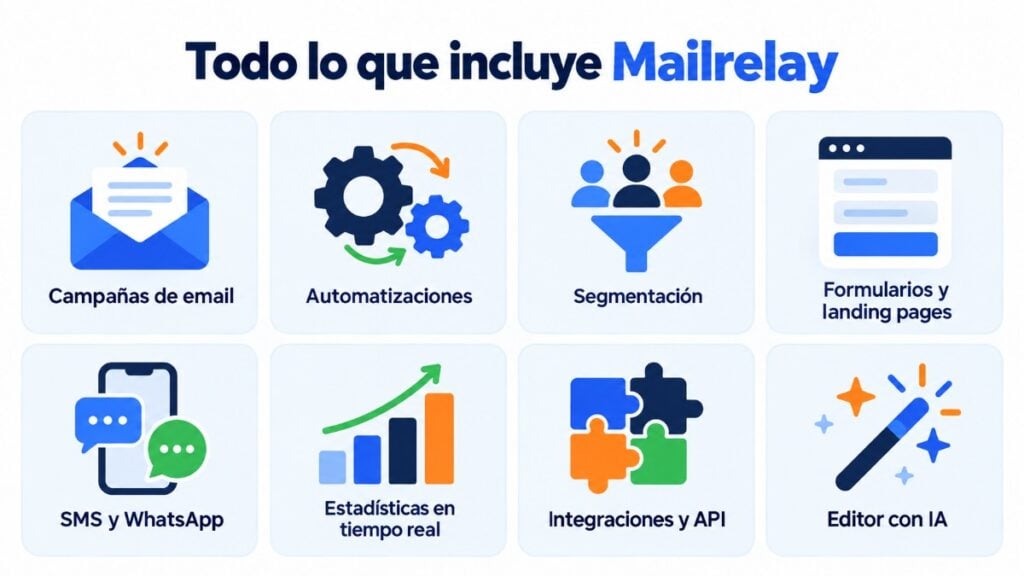
It isn’t just about being able to send newsletters. Mailrelay includes automations, advanced segmentation, A/B testing, forms, landing pages, analytics, personalization, user permissions, and integrations.
Therefore, you can use it from the very first lead all the way to campaigns aimed at retaining, recovering, or converting customers.
Mailrelay for free: high volumes, contacts, and technical support
A free account to send up to 80,000 emails a month
One of Mailrelay’s main features is its ability to send mass emails with no upfront cost.
The free account allows you to send up to 80,000 emails a month to a database of up to 20,000 stored contacts.
Furthermore, it isn’t just a free trial that disappears after a few days.
The plan is free forever and you don’t need a card to get started.
This lets you test an email marketing strategy with a real database.
It also makes it easy to increase campaign frequency without hitting the limit after just a few sends.
The free volume is especially relevant compared to other platforms:
- Mailjet currently offers 6,000 monthly emails and 1,000 contacts on its free account
- MailerLite limits its free plan to 2,500 monthly emails and 250 subscribers
- Klaviyo limits its free plan to 250 active profiles and 500 monthly email sends
- Acumbamail provides 2,000 monthly sends on its free plan.
- Mailchimp has also significantly reduced its free capacity, and its current offering operates at much lower volumes
As a result, Mailrelay’s 80,000 monthly sends make a considerable difference within this group of competitors.
Free account and paid plan conditions (updated: October 2026)
| Condition | Free | Standard | Enterprise |
|---|---|---|---|
| Emails per month | 80.000 | 100.000 | 100.000 |
| Contacts | 20.000 | 20.000 | 20.000 |
| Daily or hourly limit | No limit | No limit | No limit |
| Soporte humano | Ticket (estándar) | Ticket y chat (prioritario) | Ticket, chat y teléfono (máxima prioridad) |
| Sending speed | Standard queue | Priority queue | Priority queue |
| Delivery, bounce and unsubscribe statistics | Included | Included | Included |
| Open and click tracking | Included | Not included¹ | Included |
| Mailrelay logo in the email footer | Yes (removable with a €4.95/month add-on) | No | No |
| Transactional emails via SMTP and API | 30-day trial; then €14.95/month | Included | Included |
| WhatsApp sending | 10-day trial; then €9.95/month | Included | Included |
¹ The Standard plan doesn’t track opens or clicks. If you need those metrics, choose Enterprise. The Standard and Enterprise figures are for the 100,000 emails a month tier. You can see all tiers and prices on the Mailrelay pricing page.
Easy contact import and export with no duplicates
Switching tools shouldn’t force you to rebuild your database.
That’s why Mailrelay lets you import contacts from CSV or TXT files, copy and paste data, and even migrate directly from Mailchimp.
During an import, Mailrelay identifies existing contacts.
Depending on the settings you choose, it can ignore them or update their data, instead of creating the same contact again.
This makes it easier to work with large databases without creating duplicates on every import.
Exporting is also simple. You can filter subscribers and download the data as a CSV file to analyze it, create backups, or use it in other tools.
This simplicity reduces migration friction and gives you greater control over your audience data.
Mailrelay support handled by real people
A good tool needs great features.
However, when a deliverability, DNS or configuration problem comes up, having human help can be even more important.
Mailrelay ofrece soporte técnico humano en todas las cuentas: por ticket en la gratuita, por ticket y chat en Standard, y por ticket, chat y teléfono en Enterprise. En los planes de pago, el soporte es prioritario.
Support is available in several languages.
Therefore, you don’t need to upgrade to a higher plan first just to ask a technician a question.
This difference becomes especially clear when comparing support models. For example:
- Mailjet offers ticket support during the first 30 days of its free account
- Klaviyo limits free plan email support to the first 60 days
- MailerLite includes community support on its free tier and reserves other channels for higher plans
Thus, continuous human support is one of Mailrelay’s key selling points, especially for SMBs, associations, agencies, and teams without in-house email marketing specialists.
Si quieres comparar qué soporte en español incluye cada herramienta, en el plan gratuito y en los de pago, tienes los datos en nuestra guía sobre el soporte del software de email marketing en español.
Email marketing deliverability and domain setup
High-deliverability email marketing backed by its own sending infrastructure
Sending thousands of emails isn’t much use if a large share of them ends up blocked or in spam.
Mailrelay works with its own IP ranges and technologies designed to optimize mass email delivery.
The infrastructure and reputation of the sending system are a core part of its deliverability offering.
In shared IP environments, multiple senders use a common infrastructure.
This lets you benefit from IPs that are already warmed up and have a good reputation, instead of necessarily starting from a new IP with no history.
Mailrelay also offers dedicated IP options for companies that need more control over their sending reputation: 1 dedicated IP costs €600/year, 8 IPs €3,360/year, and 32 IPs €7,680/year (details in more Mailrelay services).
In that case, managing that reputation also depends much more heavily on the sender themselves.
That’s why Mailrelay can suit both companies that prefer a shared infrastructure and those with more specific sending needs.
In both cases, the platform has continuous automatic monitoring systems: they check whether any IP has been added to a blacklist, process spam complaints through integrations with mailbox providers, and spread the load during sending peaks. More details in how Mailrelay protects deliverability.
SPF, DKIM, DMARC, and custom domains to improve deliverability
Deliverability doesn’t depend solely on the provider either.
Sender authentication plays a key role.
Mailrelay lets you set up SPF, DKIM, and DMARC, even on the free account.
It also lets you use a custom domain to replace generic domains in tracking links and image URLs.
A custom domain reinforces consistency across your brand, the sender, and the links appearing in your campaigns.
This setup is aimed precisely at improving deliverability and how your emails are perceived.
Additionally, a single account can have multiple custom domains set up. This is useful when an organization works with several brands or authorized domains.
Thus, Mailrelay combines sending infrastructure with the tools every company needs to look after its own technical reputation.
Configurable open and click tracking
Not all companies want to track the exact same things. Nor do all campaigns need to measure the exact same data.
That’s why Mailrelay lets you toggle open and click tracking on or off from a newsletter’s advanced settings.
Users can decide whether to track clicks, opens, or both.
If you turn these options off, Mailrelay stops collecting those metrics for that newsletter.
This gives you more control over measurement and makes it easier to align each campaign with your organization’s internal privacy and analytics decisions.
Advanced automation, personalization, and segmentation with Mailrelay
Email automation for drip campaigns, lead nurturing, and much more
Mailrelay features a visual automation editor to build journeys without needing to code them manually.
Flows can be triggered by a subscription, a specific date, a birthday, group or tag membership, and other events.
They also support conditions, splits and different actions.
This lets you create welcome campaigns, drip sequences, and lead nurturing strategies.
You can also set up reminders, lead magnet follow-ups, date-based automations, and birthday campaigns.
User actions can also be used as triggers.
For example, a click, a download, or certain contact updates can keep an automated journey moving forward.
For ecommerce, Mailrelay includes automations tailored to scenarios like abandoned carts. Plus, its system supports actions via email, SMS, and webhooks.
The advantage is clear: an SMB can automate routine processes without the learning curve of an overly complex platform.
Email campaigns with custom fields
Two contacts can belong to the same list and still need different messages.
Mailrelay lets you create and store custom fields within subscriber records. Those details can then be used to personalize content and segment campaigns.
This means you can use data like their name, company, location, interests, or any other information your business has gathered.
Furthermore, Mailrelay lets you work with conditional content. Specific email sections can be shown or hidden based on the information available for each contact.
The result is a mass mailing that doesn’t have to look like the same message sent to the entire database.
Mailrelay tags allow you to represent interests, statuses, or stages within a funnel.
A tag can be assigned through a form or an automation. It can also change depending on what the contact does along the journey.
For instance, an automation can check if someone clicked a link. It can then apply a different tag to those who clicked versus those who didn’t.
These tags can later be used in filters, segments and new automations.
This way, every interaction provides insights to make your next communication even more relevant.
Advanced segmentation with multiple conditions
Mailrelay’s segmentation goes beyond creating separate lists.
Segments are dynamic. Contacts enter or leave them as they meet or stop meeting their conditions. Groups, on the other hand, work as more static collections.
The builder lets you add several conditions and organize them into condition groups. You can also decide whether all the rules must be met or just some of them.
You can combine several groups, again using matching logic. Therefore, you can build quite specific audiences without manually creating lots of lists.
Conditions can be based on subscriber fields, groups, custom data, or behaviors. The latter includes opens and clicks.
For example, you could pinpoint contacts from a specific region, with a particular interest, who belong to a certain group, and who clicked on a specific campaign.
A/B testing to optimize email campaigns
Mailrelay includes A/B testing to compare different alternatives before sending out the final broadcast.
These tests let you experiment with elements such as the subject line or the sender and see which option gets the best results.
The value of A/B testing lies in replacing hunches with data. A small change in the subject line can change how thousands of recipients respond.
Additionally, having this feature alongside segmentation, statistics and personalization lets you build a process of continuous improvement.
Forms and landing pages to capture new contacts
Advanced opt-in form builder
Mailrelay includes a form builder that connects directly to your subscriber database.
When creating a form, you can choose the groups where sign-ups will be saved.
Those groups can remain visible or hidden from the user. You can also enable mechanisms such as CAPTCHA.
The form supports custom fields and different design options. Elements can be rearranged and adapted to the information each business needs to collect.
You can also add elements related to accepting the privacy policy.
This way, the lead goes straight into Mailrelay and can start an automation flow without any manual steps.
Los formularios se pueden mostrar como pop-up en tu web o incluir dentro de tus landing pages.
Built-in landing page builder
Alongside its forms, Mailrelay features its own visual landing page editor.
You can start from a template or build the page from scratch. Then you add the signup form and publish the landing page to start capturing contacts.
The builder is integrated with Mailrelay.
That’s why someone who signs up can go straight into the contact database and continue along the journey set up for that campaign.
This is especially useful for ad campaigns, ebooks, webinars, promotions, events or any strategy built around a lead magnet.
Mailrelay also lets you work with custom domains, ensuring your brand presence doesn’t rely solely on the generic URLs assigned by the platform.
You can also configure subdomains via DNS.
Dozens of templates to build landing pages faster
It isn’t always convenient to design a page from a blank canvas.
Mailrelay includes a gallery of pre-designed landing page templates to serve as your starting point.
The lineup includes dozens of designs that can be adapted to various campaigns and goals.
You can then edit text, images, sections and forms to match each business’s identity and offering.
This cuts the time it takes to go from an idea to an active lead generation campaign.
Email editor, templates, and professional campaign creation
Modular drag-and-drop editor with reusable blocks
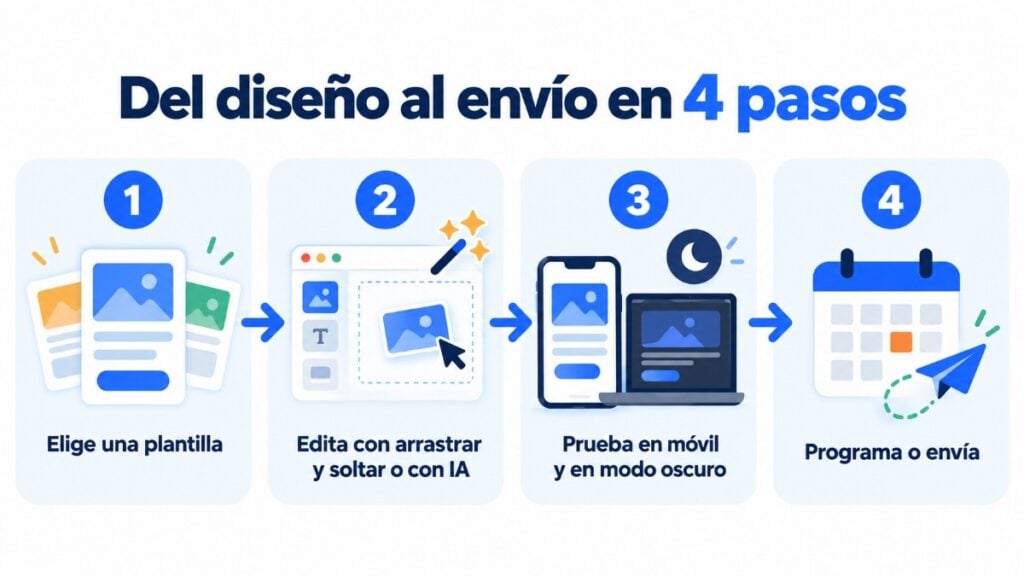
Mailrelay’s editor lets you build emails using a visual drag-and-drop system.
Users can add text, images, buttons, dividers and other elements without writing HTML. You can also work with pre-defined blocks and modular layouts.
Reusable blocks are an especially useful feature.
Mailrelay lets you save customized elements as favorites or universal blocks to reuse them in future designs.
This comes in handy for headers, calls to action, signatures, recurring promos, or corporate footers.
As a result, the team doesn’t need to rebuild the same sections campaign after campaign. It also keeps a more consistent visual identity.
Hundreds of email templates to get started faster
Mailrelay offers a wide gallery of email templates, with hundreds of options and designs to use as a base for professional campaigns.
Templates can be customized to match your corporate identity.
Mailrelay also lets you start from pre-designed layouts or use other methods to import your campaigns.
This benefits both those who want to design visual newsletters and those who prefer much simpler commercial messages.
Having templates cuts production time. However, users can still change the structure with the visual editor.
AI-powered email copywriting
Mailrelay also includes artificial intelligence features in the newsletter creation process.
The editor lets you use AI to help with your copywriting.
The tool can also generate proposals based on information such as a URL, the type of message, the tone, the language and the instructions provided.
Con ella puedes generar una plantilla completa, mejorar los textos de tus emails y crear imágenes.
AI doesn’t replace a marketer’s strategy. However, it can speed up drafts, variations and first versions of a campaign.
Combined with A/B testing, it also makes it easier to produce alternatives that can later be validated with real-world results.
Responsive design and dynamic content
Emails created with Mailrelay can be prepared to adapt to different devices.
This is crucial because the same campaign might be opened on a desktop, tablet, or mobile phone.
For those who read email with dark mode turned on, the editor also includes 8 dark mode email templates, one per category, on the free account too. Since Gmail on iOS and Outlook on Windows can invert colors, it’s a good idea to send a test email before sending the campaign.
Additionally, the platform supports variables and conditional content.
For example, a section of your newsletter can be shown to certain contacts and hidden from others.
This lets you create more personalized campaigns without building a whole email for each segment.
Mailrelay statistics, users and integrations
Real-time email marketing analytics and metrics
Mailrelay offers real-time statistics on the activity generated by your campaigns. Open and click tracking is available on the free account and on the Enterprise plan.
Available metrics include:
- Deliveries
- Opens
- Clicks
- Unsubscribes
- Spam complaints
- And bounces
Mailrelay also makes it easy to analyze which URLs get the most engagement.
Reports can display clicks using visual overlays and heatmaps.
You can also tell apart hard and soft bounces, unsubscribes and spam complaints.
Mailrelay también registra información asociada a aperturas y clics: la ciudad, la provincia y el país desde los que se abren los emails, además del navegador y el sistema operativo. Puedes usar estos datos para segmentar a tus contactos.
Reports can also be exported to CSV or PDF and shared via a private link.
En el panel principal de la cuenta también tienes dos mapas de calor, «Visualizaciones – Mejores horas del día» y «Clics – Mejores horas del día». Muestran, por día de la semana y por hora, cuándo interactúan tus suscriptores, y sirven para elegir a qué hora programar los siguientes envíos.
Además, puedes activar Google Analytics en cada campaña: tú defines el valor de utm_campaign y Mailrelay completa utm_source y utm_medium con valores estándar, así que las visitas y conversiones de cada envío aparecen en Google Analytics sin etiquetar los enlaces a mano.
Tienes el detalle de cada métrica en nuestra guía de estadísticas de mailing en tiempo real.
Therefore, statistics aren’t just for looking at results.
They help you decide which segments work, which content gets more clicks and which campaigns need changes.
Multiple users with profiles, roles, and permissions
Mailrelay is designed for several users to work within the same account.
Each user can be assigned a profile with a specific permission level.
This way, a company decides who can edit newsletters, access statistics, create forms or send campaigns.
Profiles let you grant or deny specific actions.
Mailrelay has around a hundred possible permissions, tied to tasks such as reading, creating, updating, deleting, sending, sharing or managing.
For example, a designer can get access to the editor without seeing information they don’t need. Another user can analyze reports without having permission to send.
This granularity is useful for marketing departments, agencies and companies with internal approval processes.
Mailrelay integration with Make.com
Mailrelay integrates with Make, an automation platform that lets you connect apps and move data between them.
Through it, you can build scenarios that update subscribers, organize groups, sync contacts or connect forms and other apps with Mailrelay.
The practical value is huge. A lead generated in another tool can be added to Mailrelay automatically and receive the corresponding tag or group.
An automation can then start the appropriate follow-up.
Make also makes it easy to connect Mailrelay with thousands of services that are part of other sales and marketing processes.
REST API, webhooks, and plugins to expand your integrations
Make isn’t the only way to integrate.
Mailrelay offers a REST API to work programmatically with contacts, campaigns, and other account data. It also has webhooks and various plugins and integrations.
For example, there is an official WordPress plugin that syncs users with Mailrelay. With WooCommerce it also syncs customers, products and carts, and lets you create the WooCommerce abandoned cart automation.
This lets you use Mailrelay as part of a wider marketing infrastructure, instead of keeping data locked in a standalone application.
API limits. Mailrelay’s REST API accepts up to 250 requests every 5 minutes, on all plans. For bulk operations, such as syncing or updating many contacts, it has a batch function that groups up to 500 requests into a single call. And to send transactional emails (confirmations, notifications or password resets) you can use Mailrelay’s SMTP server, which has no request limit.
Summary of Mailrelay integrations (updated: October 2026):
| Tool | How it connects | What it lets you do |
|---|---|---|
| WordPress | Free official plugin | Sync users with Mailrelay groups and add signup forms |
| WooCommerce | Free official plugin | Sync customers, products and carts; abandoned cart automation; product block in emails |
| Shopify | Make or API (no native integration) | Add new customers as subscribers |
| Zapier | No official app | The no-code alternative is Make |
| Google Sheets, Google Forms, HubSpot, Stripe and other apps | Make | Create or update subscribers and manage groups |
| Custom development | REST API (OpenAPI documentation) | Work with contacts, campaigns and account data |
| Transactional emails from your website or store | SMTP and API | Send confirmations, notifications and passwords (paid add-on, with a 30-day trial) |
| ChatGPT and Claude | MCP server (beta) | Query and manage the account in natural language |
Scoring, list cleaning and advanced contact management
Database management includes more features than simply creating groups.
Mailrelay’s current offering includes contact scoring, automatic import and automatic list cleaning, as well as segments, custom fields and tags.
Scoring makes it easier to prioritize contacts according to the criteria set in the platform. Meanwhile, looking after the quality of your database helps you work with a more useful audience for your campaigns.
Groups, tags, segments and fields can also be combined with automations. This way, the database becomes an active tool for deciding which communication each person receives.
RSS campaigns, transactional email and multichannel communication
Mailrelay also includes other features that extend its use beyond a conventional newsletter.
The platform covers RSS campaigns, scheduled sending, transactional services via SMTP/API and automations with additional actions such as SMS and webhooks.
In addition, the current interface includes areas for SMS and WhatsApp, alongside traditional email campaigns.
On the free account, some additional services have their own conditions: transactional emails via SMTP and API can be tried for 30 days and then cost €14.95/month, and WhatsApp sending can be tried for 10 days and then costs €9.95/month. Both are included in the Standard and Enterprise plans.
The free account’s email marketing volume (80,000 emails a month and 20,000 contacts) is permanent and has no daily or hourly limit.
SMS en Mailrelay: campañas y automatizaciones
Además del email, Mailrelay permite enviar SMS de forma nativa desde la misma cuenta, sin integraciones externas:
- Campañas de SMS: las creas desde el mismo panel que tus emails, con un contador de caracteres y de créditos por destinatario, y las envías al momento o las programas con fecha y hora.
- SMS en las automatizaciones: un flujo puede combinar emails, esperas y SMS. Por ejemplo, un email al abandonar el carrito y un SMS unas horas después (te lo explicamos en la guía de carrito abandonado en WooCommerce), una felicitación de cumpleaños o un recordatorio el día antes de un evento.
- Remitente con el nombre de tu empresa: para enviar a España con remitente alfanumérico, registras el alias en el Registro de alias de la CNMC desde el propio panel, en SMS > Registro de alias SMS.
- Estadísticas: cada campaña muestra la entrega y el rendimiento de los envíos.
- Precios: los SMS funcionan con paquetes de prepago, sin permanencia, y los créditos se pueden usar durante un año. Consulta las tarifas actuales en la página de precios de SMS.
Si quieres saber más sobre este canal, consulta qué es el SMS masivo y cómo elegir una plataforma para enviar SMS.
Protección de datos y RGPD en Mailrelay
Mailrelay trata los datos de tus contactos en servidores situados en la Unión Europea. Cuando usas la plataforma, tú eres el responsable de los datos de tus suscriptores y Mailrelay actúa como encargado del tratamiento, según el artículo 28 del RGPD.
Las obligaciones de Mailrelay como encargado del tratamiento están recogidas en el Anexo A de las condiciones de uso y se aplican a todas las cuentas, también a la gratuita.
Además, la herramienta incluye funciones que te ayudan a cumplir el RGPD y la LSSI en tus campañas:
- Formularios de suscripción con casilla de aceptación de la política de privacidad y doble opt-in.
- Registro de la dirección IP desde la que se suscribe cada contacto, como prueba del alta.
- Enlace de baja en cada email y gestión automática de las bajas, para que nadie vuelva a recibir tus campañas después de darse de baja.
La herramienta facilita el cumplimiento, pero captar los contactos con su consentimiento sigue siendo responsabilidad de quien envía. Tienes los requisitos explicados paso a paso en nuestra guía de email marketing legal y en la entrada sobre el GDPR.
Mailrelay vs. Mailchimp, Brevo, Mailjet, MailerLite, Acumbamail, and Klaviyo
The market’s leading platforms share plenty of core features. Mailchimp, Brevo, Mailjet, MailerLite, Acumbamail, and Klaviyo all offer varying combinations of visual editors, templates, automation, segmentation, forms, analytics, and integrations.
That’s why comparing only a table of “yes” or “no” boxes can be misleading.
What matters is knowing what you can do, with how many contacts, how many sends and on which plan.
With Mailrelay, the combination is especially competitive.
You get 80,000 emails a month, up to 20,000 contacts, automations, A/B testing, segmentation, forms, landing pages, personalization and statistics in an entry plan with no monthly fee.
Mailjet
It provides an advanced editor, basic analytics, and forms on its free plan.
However, that tier is limited to 6,000 emails a month, 200 a day and 1,000 contacts. Segmentation is available in higher tiers of its offering.
MailerLite
It includes campaigns, three automations, a single landing page, three forms, and two users on its free plan.
However, its current limit sits at 250 subscribers and 2,500 monthly emails. Its free support is community-based.
Klaviyo
It stands out especially in ecommerce, automation, segmentation and analytics. Its free tier lets you try these features, but it’s limited to 250 active profiles and 500 emails a month.
Free email support is also limited to 60 days.
Brevo
It features campaigns, a drag-and-drop editor, automations, and omnichannel communication.
Its free plan has a limit of 300 emails a day, so a mass-sending strategy runs into a volume restriction sooner.
Acumbamail
It shares with Mailrelay advantages relevant to the Spanish market, such as Spanish-language support, automation, visual editors and landing pages.
However, its own recent data places its free email capacity at around 2,000 monthly sends.
Mailchimp
It still offers a broad ecosystem of email marketing, forms, landing pages, automation and integrations.
However, its current free limits are far below the 80,000 sends and 20,000 contacts available with Mailrelay.
Because of this, Mailrelay’s primary competitive strength doesn’t rest on one isolated feature.
Its advantage lies in bringing together a large share of the usual features of a professional solution with a free volume far higher than these competitors’ and human support from the first tier.
For an SMB, startup, association, creator, online store or agency, this means being able to build a complete strategy before the size of the database forces you to sign up for a plan.
Frequently asked questions about Mailrelay and its free account
Is Mailrelay free?
Yes. Mailrelay offers a free-forever account that lets you send up to 80,000 emails a month and store up to 20,000 contacts. No credit card is required to create this plan. Emails from the free account include the Mailrelay logo in the footer (it can be removed with a €4.95/month add-on), and SMTP for transactional emails can be tried for 30 days and then costs €14.95/month.
Do emails from the free account include the Mailrelay logo?
Yes. Emails sent with the free account show the Mailrelay logo in the footer. You can remove it with a €4.95/month add-on. The logo doesn’t appear on the Standard and Enterprise plans.
Is Mailrelay’s SMTP server free?
On the free account you can try sending transactional emails via SMTP and API for 30 days. After that, it costs €14.95/month. It’s included in the Standard and Enterprise plans.
¿Mailrelay tiene estadísticas de los emails transaccionales enviados por SMTP o API?
Sí. En Informes > Emails SMTP ves cada envío con su estado, remitente y fecha, los rebotes con su categoría, las quejas por spam y las bajas. También tienes un informe de mensajes rechazados con el motivo y un informe con aperturas y clics, algo que muchas herramientas de envío transaccional no ofrecen. Te lo explicamos en SMTP y API con estadísticas.
Does the free account have a daily sending limit?
No. Puedes repartir los 80.000 emails del mes como quieras, sin límite diario ni por hora. Eso sí, Mailrelay supervisa de forma continua la actividad de todas las cuentas. Así protege la reputación de las IP compartidas y la entregabilidad de todos sus clientes.
What is the main advantage of Mailrelay’s free account?
Its main advantage is the available volume together with the features included.
The account lets you operate a database of up to 20,000 contacts and send up to 80,000 emails per month.
It also includes design, automation, segmentation, statistics, forms and other email marketing tools.
Does Mailrelay offer the largest free email marketing account?
In monthly email volume among the main competitors analyzed, Mailrelay is far ahead.
It offers up to 80,000 emails a month.
Mailjet offers 6,000.
MailerLite offers 2,500.
Klaviyo offers 500.
And Acumbamail puts its free tier at 2,000 sends a month.
Mailrelay also combines that volume with up to 20,000 stored contacts.
Sí. Los planes llegan a 10.000.000 de emails al mes, y hay planes mayores a medida. No hay límite diario ni por hora, puedes usar IP dedicadas y enviar boletines RSS automáticos. Lo explicamos con detalle en newsletters para medios de comunicación.
¿Es fácil aprender a usar Mailrelay?
Sí. Puedes enviar tu primera newsletter en 7 pasos con la guía de primeros pasos. El editor es de arrastrar y soltar, con plantillas listas para usar, y su IA puede generar una plantilla completa, mejorar los textos y crear imágenes. Los formularios se pueden mostrar como pop-up o dentro de tus landing pages. Y tienes soporte humano en español en todos los planes.
Does Mailrelay include email marketing automation?
Yes. Mailrelay includes a visual automation editor with triggers, conditions, splits and different actions.
You can create welcome series, drip campaigns, lead nurturing, birthday emails, date-based follow-ups, action-based automations and ecommerce journeys, among other cases.
Can Mailrelay send automatic date-based reminders?
Yes. Birthdays have their own entry point, “When it’s the subscriber’s birthday”, which triggers at the time you choose and as many days in advance as you want. For events and other dates, the automation starts when the contact joins a group (for example, the registrants group) and the “Wait” block releases each email or SMS on a specific date, a day of the week or month, or at a time of day.
You can also schedule email and SMS campaigns with a date and time for a group or segment. We explain it in email marketing for events.
Can I set up a lead magnet with Mailrelay?
Yes. One possible strategy is to create a landing page and a form, capture the contact and then start an automation.
The flow can deliver or follow up on a downloaded resource and continue with a lead nurturing sequence.
Mailrelay supports sign-up events and other actions as automation triggers.
Does Mailrelay include landing pages and forms?
Yes. It has a landing page editor and a signup form builder.
Los formularios pueden incorporar campos personalizados y asignar nuevos contactos a grupos. También se pueden mostrar como pop-up o incluir en tus landing pages.
Landing pages can be created from available designs or from scratch.
¿Mailrelay cumple con el RGPD?
Sí. Mailrelay trata los datos en servidores de la Unión Europea y actúa como encargado del tratamiento de los datos de tus contactos, según el artículo 28 del RGPD. Sus obligaciones están en el Anexo A de las condiciones de uso y se aplican a todas las cuentas, incluida la gratuita.
¿Cómo demuestro el consentimiento de mis suscriptores en Mailrelay?
Usa los formularios de suscripción de Mailrelay con la casilla de aceptación de la política de privacidad y el doble opt-in. Mailrelay guarda la dirección IP desde la que se suscribe cada contacto, y el doble opt-in confirma que esa persona tiene acceso al email que ha dado.
Can I use a custom domain with Mailrelay?
Yes. Mailrelay lets you configure custom domains via DNS.
The setup replaces the generic domain of tracking links and image URLs with a company subdomain. This helps strengthen sender identity and deliverability.
Does Mailrelay let you set up SPF, DKIM, and DMARC?
Yes. The platform lets you authenticate your domain with SPF, DKIM and DMARC, even on the free account.
These settings are part of the technical measures available to improve sender identification and protect your sending reputation.
Does Mailrelay offer A/B testing?
Yes. You can create A/B tests to compare alternatives, such as different subject lines or senders, and make decisions based on the campaign results.
Do Mailrelay templates look good in dark mode?
Yes. The editor includes 8 dark mode email templates, designed in dark colors (one per category: basic, newsletters, welcome, announcement, catalog, offers, ecommerce and events), also available on the free account.
Some email clients, such as Gmail on iOS or Outlook on Windows, can invert an email’s colors. That’s why it’s a good idea to send a test email and check how it looks before launching the campaign.
Can you segment contacts based on opens and clicks?
Yes. Segments can use subscriber actions, including opens and clicks, as well as data stored in fields and groups.
You can also combine multiple conditions and condition groups, using logic that requires all the rules to be met or only some of them.
Does Mailrelay allow for automatic contact tagging?
Yes. Tags can be added through forms and automations.
They can also be assigned based on behavior.
For example, an automation can check for a click and tag each contact differently depending on the result.
Does Mailrelay feature real-time analytics?
Yes. The platform shows real-time data on opens, clicks and other relevant campaign metrics. Open and click tracking is available on the free account and on the Enterprise plan; the Standard plan doesn’t include it.
It also provides information on bounces, unsubscribes and spam complaints.
Reports also let you analyze links using visualizations such as click maps or heatmaps.
¿Mailrelay muestra desde qué país o ciudad se abren los emails?
Sí. Las estadísticas de cada campaña muestran la ciudad, la provincia y el país desde los que se abren los emails y se hace clic, además del navegador y el sistema operativo. Puedes usar esos datos para segmentar a tus contactos.
¿Cómo sé cuál es la mejor hora para enviar mis campañas con Mailrelay?
En el panel principal de tu cuenta tienes los mapas de calor «Visualizaciones – Mejores horas del día» y «Clics – Mejores horas del día». Te muestran qué días y a qué horas abren y hacen clic tus suscriptores. Con ese dato, programa la campaña para esa franja con el envío programado y compara varios envíos antes de fijar una hora.
Can I disable open and click tracking?
Yes. Mailrelay lets you configure tracking for each newsletter.
You can turn off click tracking, open tracking or both. When an option is disabled, Mailrelay doesn’t collect that metric for that newsletter.
Does Mailrelay support multiple users?
Yes. You can add multiple users and link them to profiles with specific permissions.
Profiles let you control who can read, create, edit, delete, send or manage different elements of the account.
This makes it easier to work across departments, collaborators and agencies.
Does Mailrelay integrate with Make?
Yes. Mailrelay can connect with Make to automate data exchange with other applications.
This lets you create flows to sync contacts, update subscribers, organize groups and connect Mailrelay with other marketing or management tools.
Does Mailrelay have an API?
Yes. The platform has a REST API, webhooks, plugins and integrations to connect campaigns and subscriber data with other systems.
It also has integrations for platforms such as WordPress and ecommerce.
Does Mailrelay integrate with Shopify?
Not natively. You can sync Shopify customers with Mailrelay through Make (for example, to add each new customer as a subscriber) or with the API. The abandoned cart automation works with WooCommerce.
Does Mailrelay integrate with Zapier?
It doesn’t have an official app on Zapier. The no-code alternative is Make, which does integrate with Mailrelay to create or update subscribers, manage groups and make API calls.
Can I recover abandoned carts with Mailrelay?
Yes, if your store runs on WooCommerce. The official plugin syncs carts, and in Mailrelay you create an automation with the “When a cart is abandoned” entry point, with emails, waits and SMS. We explain it in the WooCommerce abandoned cart guide.
¿Mailrelay envía SMS? ¿Puedo combinar email y SMS en una misma automatización?
Sí. Mailrelay incluye envío de SMS de forma nativa, en el mismo panel que el email. Puedes enviar campañas de SMS a tus grupos y también añadir pasos de SMS dentro de una automatización junto a los emails, por ejemplo en un carrito abandonado, en un cumpleaños o en los recordatorios de un evento. Los SMS se pagan con paquetes de prepago; tienes las tarifas en la página de precios de SMS.
Does Mailrelay offer human support even on a free account?
Yes. This is one of its most notable features.
Los usuarios del plan gratuito tienen acceso a soporte técnico humano por ticket. En los planes de pago, el soporte es prioritario.
This means that starting for free doesn’t leave you on your own with an import, a technical setup or a question about a campaign.
And it’s precisely this combination of large free capacity, human support, deliverability, automation, design, lead capture, segmentation and analytics that makes Mailrelay an especially solid alternative for professional email marketing with no upfront cost.